
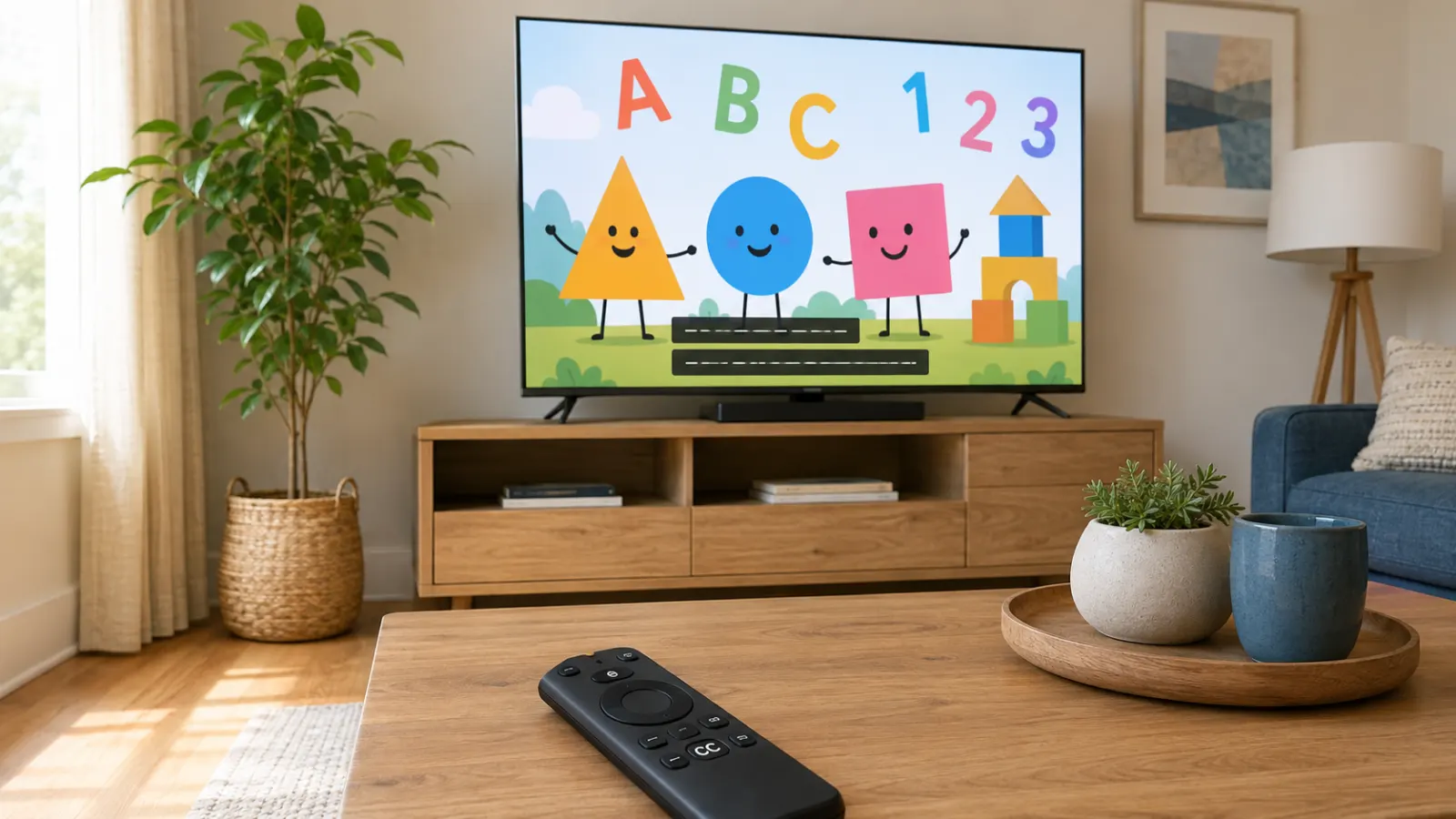
Sesame Street closed captions display spoken dialogue and important sounds as text while an episode plays. They can help children who are deaf or hard of hearing follow the program, and they may also support families watching with low volume or in a noisy room.
Caption availability and controls depend on where you watch. Sesame Workshop currently lists Netflix, PBS KIDS, YouTube, and regional broadcasters among its distribution platforms. Each service manages captions through its own video player or device settings. (Sesame Workshop)
Quick Answer: Does Sesame Street Have Closed Captions?
Yes, many Sesame Street episodes and clips offer closed captions. However, captions may not appear on every video, platform, language, or device.
For example, PBS KIDS supports closed captions across its video service, but PBS explains that some clips and online-only videos may not have captions. YouTube also shows a CC button only when a caption track is available for the selected video.
Try this general method first:
- Start playing the Sesame Street episode.
- Tap or click the video to reveal the controls.
- Find the CC, captions, subtitles, speech bubble, or audio icon.
- Select English, English CC, or another available language.
- Resume the episode and confirm that text appears.
If you cannot find a caption control, check the app settings and your device’s accessibility menu. Some smart TV apps use the television’s caption preferences instead of an in-player button.
What Are Sesame Street Closed Captions?
Closed captions are a visual representation of a program’s audio. They usually show dialogue and may also identify speakers or communicate meaningful sounds. The viewer can normally turn closed captions on or off.
A Sesame Street caption track may communicate:
- What Elmo, Big Bird, Cookie Monster, and other characters say
- Who is speaking when the speaker is not obvious
- Lyrics that form an important part of a song
- Meaningful sounds that affect the scene
- Spoken instructions in an educational activity
- Dialogue delivered off screen
The Web Accessibility Initiative explains that effective captions include important dialogue and relevant non-speech audio, such as speaker identification and meaningful sound effects.
Closed Captions, Subtitles, and Audio Description
These accessibility features serve different purposes.
Closed captions
Closed captions represent dialogue and other meaningful audio as synchronized text. Viewers can switch them on or off when a caption track is available.
Subtitles
Subtitles commonly translate or transcribe dialogue. Depending on the service, they may not identify speakers or describe important sounds as fully as closed captions.
Some streaming interfaces group closed captions and subtitles under the same menu. You may see choices such as English, English CC, English SDH, or Spanish.
Open captions
Open captions form part of the picture and cannot be disabled by the viewer. Closed captions use a separate track that the viewer can control.
Audio description
Audio description provides narration about important visual information. It serves a different accessibility need from captions. The PBS KIDS Video app lists both closed captions and audio description among its accessibility features.
How to Turn On Sesame Street Closed Captions on PBS KIDS
PBS KIDS offers Sesame Street as part of its video service. The exact selection can change, so a particular season or episode may not always be available.
On the PBS KIDS website
To enable captions in the PBS KIDS online video player:
- Open the Sesame Street video.
- Start playback.
- Move your pointer over the video if the controls are hidden.
- Click the CC icon in the upper-right area of the player.
- Select the available caption option.
PBS states that viewers can use the gear menu to choose Spanish captions when they are available for a video. (PBS Help)
In the PBS KIDS Video app
- Open the PBS KIDS Video app.
- Choose a Sesame Street episode or clip.
- Start the video.
- Tap the screen to reveal its playback controls.
- Select the caption control.
- Choose the available language or caption track.
The interface may look different after an app update. If the player does not show a caption button, check the app settings and the accessibility settings on your phone, tablet, television, or streaming device.
On a Samsung smart TV
PBS says captioning in its Samsung smart TV app is controlled through the television’s settings:
- Open the TV’s Home screen.
- Select Settings.
- Choose General.
- Open Accessibility.
- Select Caption Settings.
- Turn Caption on.
These menu names apply to supported Samsung models and may differ on other televisions.
On Apple TV
For the PBS app on Apple TV:
- Play the video.
- Press pause to reveal the player controls.
- Navigate to the closed-captioning icon.
- Select English to enable captions.
PBS documents these controls for its Apple TV app.
How to Turn On Captions for Sesame Street on YouTube
Sesame Workshop publishes Sesame Street material on YouTube. Caption availability depends on the individual upload.
On a computer
- Open the Sesame Street video.
- Look at the lower-right corner of the player.
- Click the CC button.
- Open Settings and select Subtitles/CC if you need to choose a language.
- Click CC again when you want to turn captions off.
YouTube states that the CC icon appears only when captions are available for that video
On an Android phone or tablet
- Open the video.
- Tap the video once.
- Tap the closed-caption icon.
- Tap it again to disable captions.
If no CC control appears, YouTube says that captions are unavailable for that video. (YouTube Help)
On an iPhone or iPad
- Start the Sesame Street video.
- Tap the player to reveal its controls.
- Tap the closed-caption button.
- Select the caption language if a language menu appears.
These are YouTube’s documented iOS caption controls.
On a smart TV or streaming device
- Start the episode.
- Press the center, select, down, or options button on the remote.
- Open the captions or subtitles menu.
- Choose an available caption track.
- Return to the video.
Remote controls and menu names vary. If you cannot find an in-player option, open the device’s Accessibility, Captions, or Subtitles settings.
How to Use Sesame Street Captions on Netflix
Sesame Workshop confirms that Sesame Street is available through Netflix, though the catalog can vary by market.
The usual process is:
- Open a Sesame Street episode.
- Start playback.
- Reveal the playback controls.
- Open Audio and Subtitles.
- Choose English CC, English SDH, or another available option.
- Close the menu and continue watching.
Language options can differ by episode, profile, region, and device. I cannot confirm that every Sesame Street episode has the same caption languages in every Netflix market.
How to Turn On Captions During a TV Broadcast
If you watch Sesame Street through a local station, the caption control may belong to your television, cable box, or satellite receiver.
Try these steps:
- Look for a CC or captions button on the remote.
- If there is no dedicated button, open Settings.
- Select Accessibility.
- Choose Captions, Closed Captioning, or Subtitle Settings.
- Turn captions on.
- Select a digital caption service if your television asks for one.
The FCC defines television closed captioning as the text display of a program’s audio and provides guidance about captioning requirements and complaints.
The settings for a local broadcast do not always control captions inside streaming apps. You may need to enable captions separately in the app.
How to Make Sesame Street Captions Easier to Read
Readable captions matter, especially on bright, colorful children’s programming.
PBS KIDS allows viewers using its website to adjust:
- Text color
- Text opacity
- Text background color
- Background opacity
- Caption-area background
- Font size
To reach these options, move the pointer over the video, select the gear icon, and change the settings under Closed Captioning. PBS says the selected formatting remains active across other videos on its website until it is reset. (PBS Help)
YouTube also allows viewers on a computer to change caption font, color, size, opacity, background, window appearance, and character-edge style.
For a preschool viewer, try:
- A large, simple font
- White or yellow letters
- A dark, mostly opaque background
- Strong contrast between the text and picture
- A size that remains readable from the child’s seat
- A position that does not cover important visual information
Avoid making captions so large that they hide characters, letters, numbers, or visual demonstrations.
Why Sesame Street Captions May Not Appear
A missing caption track does not always mean the device is broken. Check these common causes.
The video does not include captions
PBS explains that some online clips, outtakes, user-generated videos, and material that did not previously air on television with captions may fall outside certain internet captioning requirements. It says it continues working to caption as many videos as possible.
On YouTube, the absence of a CC icon means that captions are not available for the selected video.
Captions are enabled in the wrong place
A streaming app may use its own settings, while another app may rely on the television’s accessibility menu. Check both locations.
The controls are hidden
Tap the screen, move the pointer over the player, or press the remote’s select button. Caption controls often disappear during playback.
The wrong language is selected
Open the caption menu and choose English, English CC, English SDH, or another language you understand. A video may offer subtitles without offering every language.
The app or browser needs to be refreshed
Close the video and reopen it. If that does not work, restart the app or browser and try the episode again.
The problem affects one episode only
Play a different Sesame Street episode on the same service. If captions work on the second video, the original video may have a missing or defective caption track.
The app is outdated
Check the official app store for an update. An outdated app may have playback or interface problems, although updating cannot add captions to a video that has no caption file.
Sesame Street Captions Are On but Not Working
Use this troubleshooting order:
- Pause and restart the episode.
- Turn captions off, then turn them on again.
- Confirm that the correct language is selected.
- Test another episode on the same service.
- Close and reopen the app.
- Restart the television, phone, tablet, or streaming device.
- Check for app and device updates.
- Test the service on another device.
- Check whether captions work on a different program.
- Report the affected episode if the problem continues.
Record the following details before contacting support:
- Episode title
- Season and episode number, if shown
- Platform or app name
- Device model
- Caption language
- Time when the error appears
- Description of missing, delayed, inaccurate, or overlapping text
Specific details make it easier for the service to identify the affected caption file or playback problem.
What to Do About Incorrect or Delayed Captions
Caption problems can include:
- Missing dialogue
- Incorrect words
- Captions appearing too early or too late
- Text covering important visuals
- Missing speaker identification
- Missing song lyrics
- Captions disappearing after an advertisement
- A caption track that stops partway through an episode
First, replay the same scene. Then check the episode on another device if possible. If the error appears at the same time on both devices, the problem may be associated with the video or caption track rather than your display settings. This is a troubleshooting inference, not a confirmed diagnosis.
PBS provides a dedicated contact for concerns involving closed captions in the PBS KIDS online player and PBS KIDS Video app. Its support page lists closedcaptioning@pbs.org and additional contact information.
For YouTube, use the video’s feedback or reporting options and identify the exact line or timestamp. For another streaming service, contact that service’s accessibility or customer-support team.
Why Captions Matter for Sesame Street Viewers
Captions give children who are deaf or hard of hearing access to spoken dialogue and meaningful audio information. This is the central accessibility purpose identified by the FCC and the Web Accessibility Initiative.
They can also be practical when:
- The room is noisy
- A caregiver needs to keep the volume low
- A child misses a character’s words
- The family watches in a shared space
- An adult wants to follow a song or spoken instruction
- A viewer benefits from seeing and hearing language together
Captions should complement the program rather than become a reading test. Young children may not read quickly enough to follow every line. A caregiver can still use the text to clarify words, repeat a phrase, or discuss what happened.
Using Captions as a Family Learning Tool
Try these simple approaches without interrupting the episode too often.
Replay a useful word
Pause after a new letter, number, emotion word, or phrase appears. Point to the relevant word in the caption and say it together.
Connect words with actions
If a character says jump, count, share, listen, or breathe, connect the captioned word with the action shown on screen.
Talk about songs
Use visible lyrics to notice rhyming words, repeated sounds, or familiar letters. Only use lyrics displayed through the authorized video service.
Ask one clear question
After a short scene, ask:
- What did the character say?
- How did the character feel?
- Which word appeared more than once?
- What happened after that sound?
- Which letter did they practice?
Follow the child’s attention
Some children will focus on the captions, while others will focus on the characters. Keep the activity relaxed and appropriate for the child’s age and reading level.
Common Caption Mistakes to Avoid
Assuming every clip has captions
Check for the CC icon before promising that a specific clip will include them.
Confusing captions with dubbing
Captions place text on the screen. Dubbing replaces or supplements the original spoken audio with another language.
Assuming all English tracks are identical
English subtitles may focus mainly on speech. English CC or English SDH may include additional audio information. The exact labels and content depend on the service.
Changing only the television settings
The streaming app may have a separate caption menu.
Making the text difficult to see
Low contrast, transparent backgrounds, or very small letters can make captions hard to follow.
Reporting a problem without identifying the episode
Include the platform, title, device, language, and timestamp whenever possible.
A More Accessible Way to Visit Sesame Street
Sesame Street closed captions can make dialogue, songs, instructions, and meaningful sounds easier to follow. Start with the video player’s CC control, then check the device accessibility settings if captions do not appear.
If one episode lacks captions or contains errors, test another video and record the exact platform, device, and timestamp. That information will help the broadcaster or streaming service investigate the problem.
Frequently Asked Questions
Are all Sesame Street episodes closed captioned?
Many episodes include captions, but I cannot confirm that every episode, clip, language version, and regional release has a caption track. PBS states that some videos may not have closed captioning, while YouTube displays the CC control only on videos with available captions.
Where can I watch Sesame Street with captions?
Sesame Workshop lists Netflix, PBS KIDS, YouTube, and regional broadcasters as current ways Sesame Street reaches viewers. Availability, episode selection, and caption languages can vary by location and service.
Does the PBS KIDS app have closed captions?
Yes. PBS KIDS identifies closed captions as an accessibility feature of its video app. Individual video availability can still vary.
Can I change the size of Sesame Street captions?
You can change caption appearance on supported platforms. PBS KIDS provides text, background, opacity, and font-size controls on its website. YouTube also offers caption style controls on computers.
Are Spanish captions available?
Some videos may offer Spanish captions. PBS says viewers can select Spanish in its player when that language is available. A Spanish option is not guaranteed for every episode.
Why is there no CC button on a YouTube video?
YouTube states that if the CC icon is missing, captions are unavailable for that video. Try another official upload or another authorized viewing service.
Can I turn captions off?
Yes. Select the active CC or subtitle option again and choose Off. Because closed captions use a selectable track, viewers can normally disable them. Open captions, which are embedded in the picture, cannot be switched off.
Who should I contact about PBS KIDS caption errors?
PBS asks viewers to send PBS KIDS captioning concerns to its designated captioning contact. The current details appear on the official PBS Help page.
Related Ideas
closed captions versus subtitles
how to turn off closed captions on Samsung TV
How to turn off closed captions on TV, phone and streaming Apps