
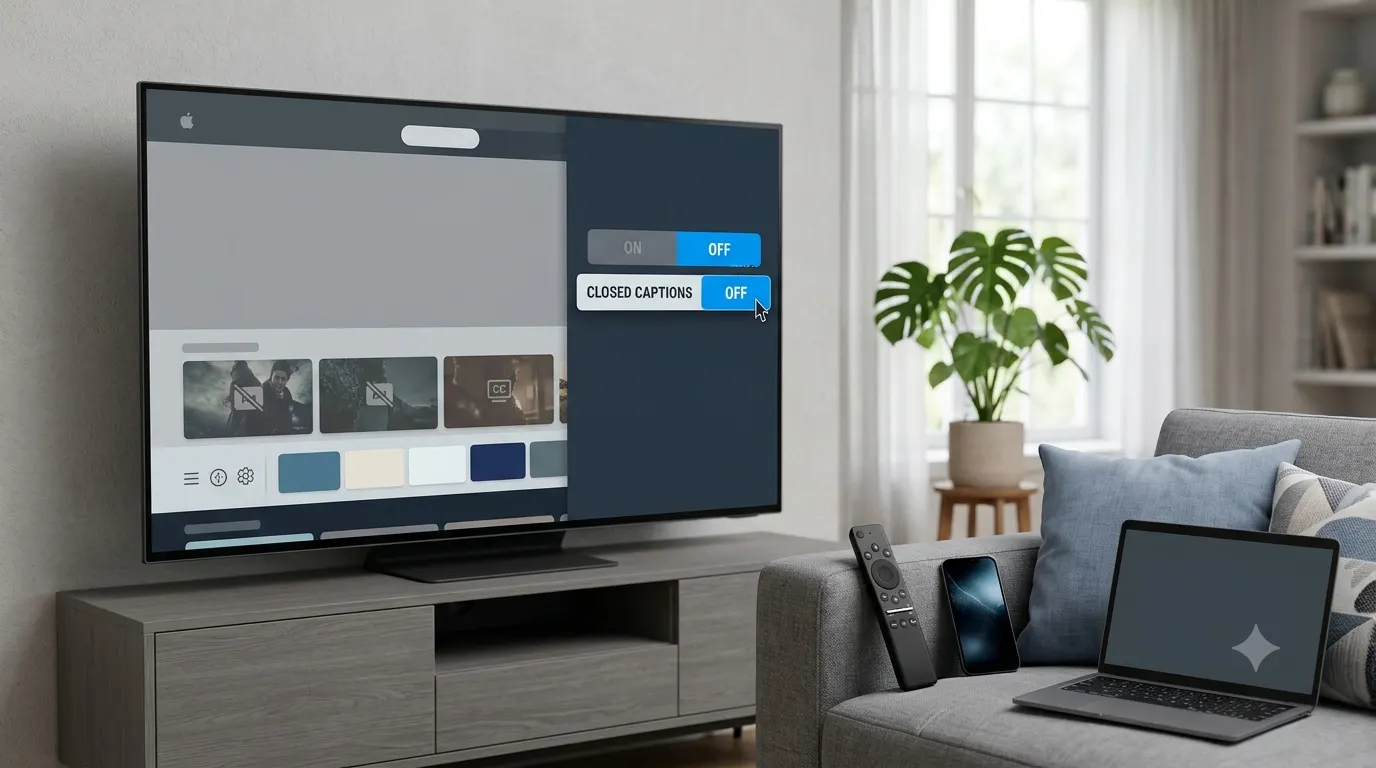
Choosing between closed captions vs open captions can feel confusing if you’re new to video accessibility. Both display spoken dialogue and important sounds as on-screen text, but they work in different ways and serve different purposes.
Whether you create videos for YouTube, social media, online courses, streaming platforms, or business presentations, understanding the difference helps you improve accessibility, reach more viewers, and create a better watching experience.
This guide explains what closed captions and open captions are, how they differ, when to use each, and which option works best for different situations.
Closed Caption vs Open Caption: Quick Answer
Closed captions and open captions both provide text for spoken dialogue and important audio cues.
The key difference is simple:
- Closed captions can be turned on or off by the viewer.
- Open captions are permanently embedded into the video and cannot be turned off.
If you want viewers to control whether captions appear, use closed captions. If you want every viewer to see captions automatically, use open captions.
What Are Closed Captions?
Closed captions, often labeled as CC, are text tracks that viewers can enable or disable while watching a video. They include spoken dialogue and often describe meaningful sounds such as laughter, applause, music, alarms, or background noises that help explain what is happening.
Unlike subtitles, which usually translate spoken language, closed captions focus on making audio content accessible for people who are deaf or hard of hearing.
Because closed captions exist as a separate file or text track, they do not permanently change the video itself.
Common Features of Closed Captions
- Viewers decide whether to turn captions on or off.
- Support accessibility for people with hearing loss.
- Include dialogue and relevant sound descriptions.
- Can often be customized with different fonts, sizes, and colors.
- Work well on streaming services, educational platforms, and websites.
What Are Open Captions?
Open captions are permanently added to the video. Every viewer sees them because they are part of the video itself.
Unlike closed captions, open captions cannot be hidden or disabled. Once exported with the video, they remain visible regardless of the device or platform.
Open captions are especially popular on social media because many people watch videos with the sound turned off.
Common Features of Open Captions
- Always visible.
- Cannot be turned off.
- Become part of the video during editing.
- Great for silent autoplay videos.
- Display consistently across all devices.
Closed Caption vs Open Caption: The Main Differences
Although both caption types improve accessibility and comprehension, they serve different needs.
| Feature | Closed Captions | Open Captions |
|---|---|---|
| Viewer control | Can turn on or off | Always visible |
| Part of video | No | Yes |
| Accessibility | Excellent | Excellent |
| Editing after upload | Easier | Requires new video export |
| Platform support | Needs caption support | Works everywhere |
| Customization | Often customizable | Fixed appearance |
| File format | Separate caption file | Embedded into video |
The biggest deciding factor is viewer control. Closed captions give users flexibility, while open captions guarantee that everyone sees the text.
Why Captions Matter
Captions do much more than improve accessibility.
Many viewers watch videos in quiet environments where they cannot use sound. Others watch in noisy places where hearing dialogue is difficult. Captions also help people understand unfamiliar accents, follow fast conversations, or learn a new language.
Benefits include:
- Improve accessibility for deaf and hard of hearing viewers.
- Increase video engagement.
- Help viewers understand speech in noisy environments.
- Support language learners.
- Make videos easier to follow without sound.
- Improve user experience across devices.
- Increase audience retention.
When Should You Use Closed Captions?
Closed captions work best when viewers should have the choice to enable or disable captions.
They’re commonly used for:
- YouTube videos
- Streaming services
- Online learning platforms
- Corporate training videos
- Government videos
- Television broadcasts
- Webinar recordings
- Educational content
- Video libraries
They are also recommended whenever accessibility regulations require caption support.
When Should You Use Open Captions?
Open captions are ideal when you cannot rely on the platform to support caption files or when you want every viewer to see captions automatically.
Popular uses include:
- Instagram Reels
- TikTok videos
- Facebook videos
- LinkedIn posts
- Digital signage
- Event displays
- Advertising screens
- Marketing videos
- Public presentations
Since many social media videos autoplay without sound, open captions help viewers understand the message immediately.
Which Option Is Better?
There is no universal winner because the right choice depends on your audience and platform.
Choose closed captions if you want flexibility, accessibility settings, and compatibility with streaming platforms.
Choose open captions if you want captions to appear automatically for every viewer, especially on social media where many people watch videos silently.
Many professional creators actually use both. They upload closed captions for platforms that support them while creating open-caption versions for social media clips.
Accessibility Benefits of Both Open and Closed Caption Types
Both caption styles make videos more inclusive.
People who benefit from captions include:
- Deaf viewers.
- Hard of hearing audiences.
- People learning English.
- Students following educational videos.
- Professionals watching videos at work without sound.
- Travelers watching in public spaces.
- Viewers in noisy environments.
- People with temporary hearing difficulties.
Captions also improve comprehension for many viewers who have no hearing impairment at all.
Closed Captions vs Open Captions for Social Media
Short-form video platforms have changed how people consume content.
Many users scroll through feeds with their phones muted. If your message depends entirely on spoken words, you may lose viewers before they enable sound.
Open captions solve this problem by making the message immediately readable.
For longer videos hosted on platforms like YouTube, closed captions are generally the better choice because viewers can customize or disable them based on personal preference.
Closed Captions vs Open Captions for Different Platforms
Choosing the right caption type often depends on where your audience watches your videos.
YouTube
Closed captions are usually the best option because viewers can turn them on or off, customize their appearance, and search within captioned content.
Open captions perform well because videos often autoplay without sound. Visible text encourages viewers to keep watching instead of scrolling away.
TikTok
Short videos benefit from open captions since many users browse with muted audio. Captions quickly communicate the main message and improve engagement.
Open captions help silent autoplay videos, while closed captions remain useful for longer uploads where supported.
Professional audiences often watch videos during work hours without audio. Open captions make business presentations and educational content easier to follow.
Online Courses
Closed captions are usually the preferred choice because learners can choose when to display captions and adjust settings to match their needs.
Corporate Training
Organizations often use closed captions to meet accessibility requirements while giving employees flexibility during training sessions.
Public Displays
Open captions are the better solution for airports, museums, conferences, trade shows, and digital signage because viewers cannot adjust caption settings on public screens.
Real World Examples
Understanding practical use cases makes the difference much easier to remember.
Example 1: YouTube Tutorial
A software instructor uploads a one-hour tutorial to YouTube. Closed captions allow viewers to enable captions only when needed and customize text size for easier reading.
Example 2: Instagram Reel
A fitness creator posts a 30-second workout tip. Open captions display every instruction immediately, allowing viewers to understand the content even while scrolling silently.
Example 3: University Lecture
An online course includes closed captions so students can follow lectures, search specific topics, and improve comprehension during study sessions.
Example 4: Conference Screen
A keynote presentation uses open captions projected on large displays. Every attendee can read the dialogue without changing settings on personal devices.
Example 5: Digital Advertising
A retail store displays promotional videos on in-store screens with open captions because customers cannot control playback or caption settings.
How to Decide Which Caption Type to Use
Ask yourself these questions before publishing a video:
- Will viewers need the option to turn captions on or off?
- Does the platform support caption files?
- Will many viewers watch without sound?
- Is accessibility compliance required?
- Will the video appear on public displays?
- Do viewers benefit from customizing caption size or style?
- Will the same video be shared across multiple platforms?
Your answers usually make the right choice obvious.
Related Accessibility Terms Worth Knowing
Understanding a few related terms can help you navigate accessibility features with confidence.
Captions
Text that represents spoken dialogue and important sounds in a video.
Closed Captions
Optional captions that viewers can enable or disable.
Open Captions
Captions permanently embedded into the video.
Subtitles
Text showing spoken dialogue, often translated into another language and not always including sound effects.
Audio Description
A narrated track describing important visual information for viewers who are blind or have low vision.
Transcript
A written version of all spoken content in a video or audio recording. Unlike captions, transcripts are usually read separately from the video.
Closed Captions vs Open Captions for Education
Educational videos often benefit from closed captions because learners can turn captions on while studying and hide them when they no longer need assistance.
Captions also improve note-taking, comprehension, and information retention.
For classroom displays or presentations shown on large screens, open captions may be more practical because everyone can see them without changing device settings.
Common Misunderstandings
Many people assume captions and subtitles are the same thing, but they serve different purposes.
Another common misconception is that open captions are less accessible. In reality, they are highly accessible because everyone can see them. Their main limitation is that viewers cannot turn them off or customize their appearance.
Some creators also believe captions are only necessary for people with hearing loss. In practice, captions benefit a much wider audience by improving comprehension and engagement across many viewing situations.
Best Practices for Using Captions
Follow these tips regardless of which caption type you choose:
- Keep captions accurate and free from spelling mistakes.
- Synchronize text with spoken dialogue.
- Include important sound effects when they add meaning.
- Use readable fonts and sufficient contrast.
- Avoid covering important visual elements.
- Break long sentences into short, easy-to-read caption segments.
- Review captions before publishing to ensure timing and accuracy.
Common Mistakes to Avoid
Avoid these common captioning errors:
- Relying entirely on automatic captions without proofreading.
- Using captions that appear too quickly to read.
- Placing captions over important graphics or faces.
- Omitting meaningful sound descriptions.
- Using fonts that are difficult to read.
- Creating captions with poor color contrast.
- Forgetting to test captions on mobile devices.
- Assuming every platform handles captions the same way.
Conclusion
Understanding the difference between closed caption vs open caption helps you choose the right caption style for every video. Closed captions give viewers control and work well on streaming platforms, educational content, and websites. Open captions remain visible at all times, making them ideal for social media, public displays, and videos that are often watched without sound.
The best choice depends on where your video will appear and how your audience watches it. By using captions thoughtfully, you improve accessibility, increase engagement, and create a better viewing experience for everyone.
Frequently Asked Questions
Are closed captions and open captions the same?
No. Both display spoken dialogue and important audio information, but closed captions can be turned on or off by the viewer. Open captions are permanently embedded into the video and always remain visible.
Which is better for accessibility?
Both improve accessibility, but they serve different purposes. Closed captions offer more flexibility because users can enable, disable, or customize them on supported platforms. Open captions ensure everyone sees the text, even on platforms that do not support caption files.
Are subtitles the same as captions?
Not always. Captions include dialogue and important sound effects, making them useful for viewers who are deaf or hard of hearing. Subtitles mainly translate or display spoken dialogue and often do not include background sounds or speaker identification.
Can you convert closed captions into open captions?
Yes. Video editing software can burn caption tracks directly into a video, creating open captions. Once exported, the captions become a permanent part of the video and cannot be removed by viewers.
Can open captions be turned off?
No. Open captions are permanently embedded into the video file, so viewers cannot hide or disable them.
Do YouTube videos support both caption types?
Yes. YouTube supports closed captions through uploaded caption files or automatic captions. Creators can also upload videos with open captions already embedded, although viewers cannot disable those captions.
Which caption type is better for Instagram?
Open captions are generally the better choice for Instagram Reels and Stories because many users watch videos with the sound muted. Always-visible captions help viewers understand the content immediately.
Do captions help SEO?
Yes. Search engines can index caption files associated with videos, making it easier to understand video content. Accurate captions may improve discoverability, accessibility, and user engagement.
Are automatic captions accurate enough?
Automatic captions have improved significantly, but they still make mistakes with names, accents, technical terms, and background noise. Review and edit automatically generated captions before publishing important content.
Do captions increase watch time?
Many creators find that captions improve viewer retention because people can continue following a video without relying entirely on audio. Captions also make content easier to understand in noisy or quiet environments.
1 thought on “Closed Caption vs Open Caption: What’s the Difference and Which Should You Use?”