
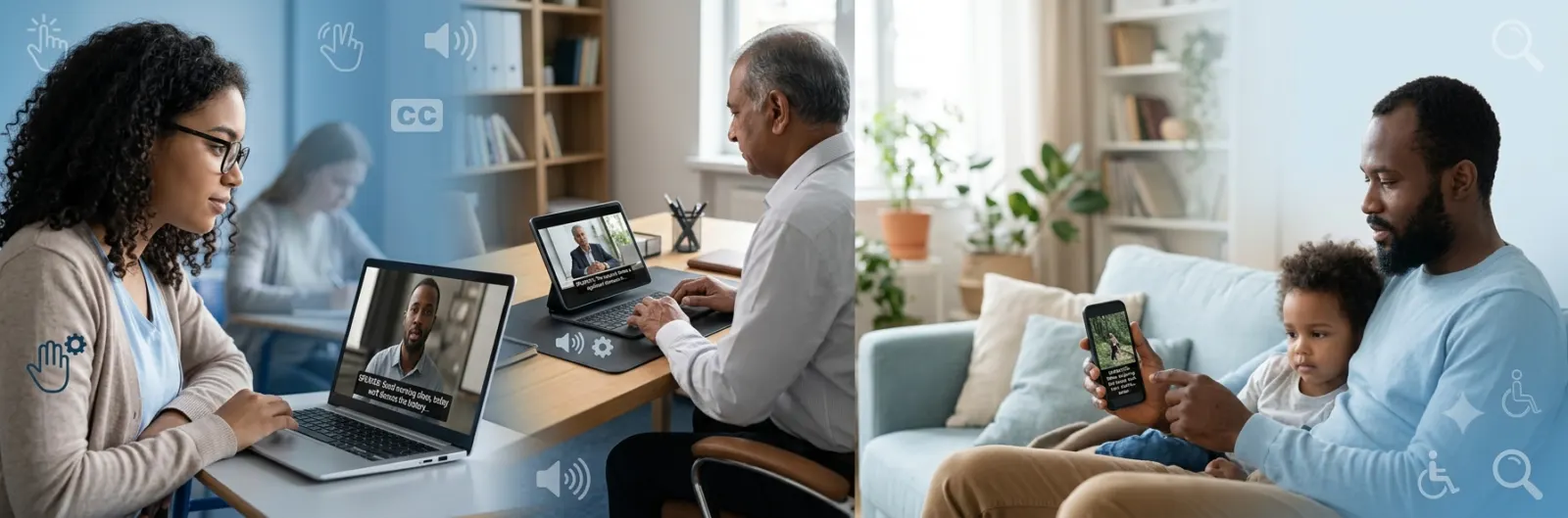
Open captions make videos easier to understand by displaying text directly on the screen. Unlike captions that viewers can turn on or off, open captions are permanently embedded into the video. They improve accessibility for people who are deaf or hard of hearing, help viewers watch videos without sound, and can increase engagement across social media, education, business, and entertainment.
Whether you create content for YouTube, Instagram, TikTok, online courses, or marketing campaigns, understanding how open captions work helps you reach a wider audience while creating a better viewing experience.
What Are Open Captions?
Open captions are captions that are permanently burned into a video. Because they are part of the video itself, viewers cannot disable or remove them during playback.
These captions display spoken dialogue and, when appropriate, important nonverbal sounds that help explain what is happening. Since open captions are always visible, they work consistently across nearly every device and video platform.
Open captions are especially useful when a platform does not support selectable captions or when creators want to guarantee that every viewer sees the text.
Key Features of Open Captions
- Permanently embedded into the video
- Always visible to every viewer
- Cannot be turned off
- Work on almost every playback device
- Improve accessibility and comprehension
- Useful for silent viewing on social media
- Ideal for presentations, digital signage, and public displays
Quick Answer: What Is the Difference Between Open and Closed Captions?
The biggest difference is control.
Open captions are permanently displayed because they are built into the video itself. Closed captions are stored separately and viewers can choose whether to display them.
If your goal is to make sure everyone sees captions, open captions are the better choice. If you want viewers to control whether captions appear, closed captions offer greater flexibility.
Why Open Captions Matter
Millions of people watch online videos every day without turning on the sound. Some are commuting, others are at work, and many simply prefer watching silently. Open captions make those videos understandable without requiring audio.
They also support people who are deaf or hard of hearing, language learners, viewers in noisy environments, and anyone who benefits from reading while listening.
Adding open captions creates a better experience for nearly every audience, not just those with hearing disabilities.
How Open Captions Work
Open captions become part of the final exported video. During editing, creators add synchronized text that matches the spoken dialogue. Once the video is rendered, the captions cannot be removed.
Unlike closed captions, open captions do not rely on platform support. Since they are visually embedded, every viewer sees exactly the same captions regardless of the device or app being used.
This makes them particularly reliable for social media clips, advertisements, presentations, and public displays.
The Basic Open Caption Workflow
- Create or transcribe the spoken dialogue.
- Synchronize each caption with the correct timing.
- Choose a readable font, size, and color.
- Position captions where they do not block important visuals.
- Export the video with captions permanently embedded.
Open Captions vs Closed Captions
Although both types improve accessibility, they serve slightly different purposes.
| Feature | Open Captions | Closed Captions |
|---|---|---|
| Can viewers turn them off? | No | Yes |
| Built into the video? | Yes | No |
| Always visible? | Yes | Only when enabled |
| Platform support required? | No | Yes |
| Best for social media? | Often | Depends on the platform |
| Ideal for accessibility? | Yes | Yes |
Open captions guarantee visibility, while closed captions provide user choice.
Benefits of Open Captions
Open captions do much more than improve accessibility. They also enhance viewer engagement and content performance.
Better Accessibility
People who are deaf or hard of hearing can fully understand spoken dialogue without depending on platform settings.
Improved Silent Viewing
Many users scroll through social media with their phones muted. Open captions immediately communicate the message without requiring audio.
Higher Audience Retention
Viewers often continue watching longer when captions help them follow the content quickly.
Easier Understanding
Captions make it easier to understand speakers with different accents, fast speech, or technical terminology.
Better Learning Experience
Educational videos become more effective because viewers can both read and hear important information.
Wider Global Reach
People learning English or another language often benefit from reading captions while listening.
Common Uses for Open Captions
Open captions appear across many industries and content formats.
Social Media Videos
Platforms like Instagram Reels, TikTok, Facebook, and LinkedIn often autoplay videos without sound. Open captions help capture attention immediately.
Online Education
Teachers and course creators use open captions to improve comprehension and support students with different learning styles.
Marketing Campaigns
Businesses add captions to promotional videos so potential customers understand the message even when watching silently.
Conferences and Presentations
Organizations often embed captions into presentation videos to ensure every attendee can follow the content.
Public Displays
Digital signage in airports, shopping centers, museums, and waiting rooms often relies on open captions because audio may not be practical.
When Should You Use Open Captions?
Open captions are an excellent choice when you want complete control over the viewing experience.
They work especially well when:
- Videos autoplay without sound.
- Every viewer should see captions.
- The platform lacks reliable closed caption support.
- Videos play on public screens.
- Accessibility is a top priority.
- Brand consistency matters.
- You are creating advertisements or promotional clips.
If viewers need the ability to hide captions or change language options, closed captions may be the better solution.
Where Open Captions Work Best
Different types of content benefit from open captions in different ways.
Short Form Social Videos
Short videos rely on grabbing attention quickly. Captions communicate the message before viewers decide to keep scrolling.
Educational Tutorials
Step by step lessons become easier to follow when viewers can both hear and read instructions.
Product Demonstrations
Captions ensure every feature and benefit remains clear, even without audio.
Corporate Communications
Training videos and internal announcements become more accessible to diverse teams.
Event Highlights
Conference recaps, sports highlights, and promotional reels often use open captions for consistent viewing across platforms.
Best Practices for Creating Open Captions
Good captions improve readability without distracting from the video itself.
Keep Text Easy to Read
Choose a simple font with sufficient size and strong contrast against the background.
Sync Captions Accurately
Display each caption at the exact moment the dialogue is spoken. Poor timing can confuse viewers.
Break Long Sentences Naturally
Keep each caption short enough to read comfortably without rushing.
Avoid Blocking Important Visuals
Place captions where they do not cover faces, graphics, or key actions.
Maintain Consistent Styling
Use the same font, size, spacing, and positioning throughout the video to create a professional appearance.
Include Meaningful Sound Information
When important sounds contribute to understanding, describe them naturally.
Examples include:
- Soft music begins playing.
- Audience applauds after the announcement.
- Door closes loudly behind the speaker.
- Phone rings during the conversation.
Common Mistakes to Avoid
Even well-intentioned captions can reduce the viewing experience if they are poorly designed.
Avoid these common issues:
- Using fonts that are difficult to read.
- Making captions too small for mobile viewers.
- Displaying too much text at once.
- Showing captions too quickly.
- Covering faces or important graphics.
- Using colors with poor contrast.
- Including spelling or grammar mistakes.
- Allowing captions to fall out of sync with speech.
- Ignoring accessibility guidelines for readability.
Creating effective open captions requires attention to timing, clarity, and consistency. When done well, they make videos more inclusive, easier to understand, and more engaging for every viewer, regardless of where or how they watch.
Open Captions for Social Media
Social media users often watch videos with the sound turned off, especially when scrolling in public places. Open captions help creators communicate their message immediately, increasing the chance that viewers will stop scrolling and watch the entire video.
Creators across Instagram, TikTok, Facebook, LinkedIn, Pinterest, and X use open captions to make their videos more engaging and accessible.
Benefits for Social Media
- Grab attention in the first few seconds.
- Improve understanding without sound.
- Make videos accessible to more viewers.
- Help viewers follow fast-paced speech.
- Increase watch time and engagement.
- Support viewers in noisy or quiet environments.
Open Captions in Education
Schools, universities, and online learning platforms use open captions to improve the learning experience for students with different needs and learning styles.
Captions allow students to read and listen at the same time, making it easier to remember important concepts. They also help learners who speak English as a second language.
Open captions are especially valuable for:
- Online lectures
- Training videos
- Educational tutorials
- Recorded webinars
- Classroom presentations
- Instructional demonstrations
Open Captions for Businesses
Businesses use video for training, customer support, product launches, and marketing. Open captions ensure every employee or customer can understand the message without relying on audio.
They also help organizations meet accessibility goals while improving communication.
Common business uses include:
- Employee onboarding
- Safety training
- Internal announcements
- Product demonstrations
- Customer education
- Event recaps
Marketing Benefits of Open Captions
Open captions support digital marketing by making promotional videos easier to consume across multiple platforms.
Many people decide whether to continue watching within the first few seconds. Captions quickly communicate the video’s purpose, even when audio is muted.
Marketing advantages include:
- Better audience retention.
- Higher video completion rates.
- More accessible advertising.
- Improved brand communication.
- Stronger user engagement.
- Better viewing experience on mobile devices.
Open Captions for Streaming and Entertainment
Movies, documentaries, television shows, interviews, and live event recordings often include captions to improve accessibility.
While many streaming services rely on closed captions, some productions permanently embed captions into videos intended for international audiences, social media clips, or public viewing.
Open captions work particularly well for:
- Film trailers
- Promotional clips
- Behind the scenes videos
- Festival screenings
- Conference recordings
- Museum exhibitions
Accessibility Guidelines for Open Captions
Good captions should make content easier to understand without distracting from the video.
Follow these accessibility practices:
Use High Contrast
White text with a dark outline often provides excellent readability against changing backgrounds.
Keep Text Large Enough
Viewers should comfortably read captions on smartphones, tablets, laptops, and large screens.
Limit Each Caption
Avoid overwhelming viewers with large blocks of text. Split longer dialogue into smaller segments.
Match Speech Naturally
Display captions exactly when the speaker talks. Accurate timing helps viewers follow conversations naturally.
Use Proper Grammar
Correct punctuation and spelling improve readability and professionalism.
Describe Important Sounds
Include meaningful sound information when it affects understanding.
Examples include:
- Thunder rumbles nearby.
- Crowd cheers loudly.
- Gentle piano music begins.
- Dog barks outside.
How to Create Open Captions
Creating professional open captions is easier than ever thanks to modern editing software.
A typical workflow looks like this:
Step 1: Create a Transcript
Write an accurate transcript of every spoken word.
Step 2: Divide the Text
Break the transcript into short, readable caption segments.
Step 3: Synchronize Timing
Align each caption with the exact moment it is spoken.
Step 4: Style the Captions
Choose readable fonts, proper spacing, and colors that stand out against the video.
Step 5: Review Carefully
Watch the completed video several times to check spelling, timing, readability, and positioning.
Step 6: Export the Video
Render the final version with captions permanently embedded into the video.
Popular Tools for Creating Open Captions
Many editing programs allow creators to produce high-quality open captions.
Popular choices include:
- Adobe Premiere Pro
- Final Cut Pro
- DaVinci Resolve
- CapCut
- Canva
- Descript
- VEED
- Camtasia
Many of these tools include automatic speech recognition that generates captions quickly. Always review automatically generated captions before publishing to correct mistakes.
Open Captions and SEO
Although search engines cannot directly index burned-in captions as text, open captions still contribute to better content performance in several ways.
Videos that are easier to watch often generate stronger engagement signals.
Potential SEO benefits include:
- Increased average watch time.
- Lower abandonment rates.
- Better audience retention.
- Improved user experience.
- Greater accessibility.
- More social shares.
- Higher overall engagement.
For websites, pairing videos with transcripts and descriptive page content provides the strongest SEO value.
Open Captions vs Subtitles
People sometimes confuse captions with subtitles, but they serve different purposes.
Captions include spoken dialogue and relevant sound information to improve accessibility.
Subtitles mainly translate spoken dialogue into another language and usually do not include descriptions of background sounds.
For accessibility, captions are generally the preferred option.
Choosing Between Open and Closed Captions
The right choice depends on your audience and content goals.
Choose open captions when:
- You want every viewer to see captions.
- Your videos autoplay silently.
- Platform support is limited.
- Brand consistency is important.
- Videos will appear on public displays.
Choose closed captions when:
- Viewers should control whether captions appear.
- Multiple language options are available.
- Accessibility settings are important.
- Streaming platforms support caption selection.
Many creators use both formats for different versions of the same content.
Tips for Better Open Captions
Small improvements can make captions much easier to read.
Follow these practical tips:
- Use sentence case instead of writing everything in capital letters.
- Keep captions centered unless another position improves visibility.
- Leave enough time for viewers to finish reading.
- Avoid placing text over faces.
- Use consistent punctuation.
- Remove unnecessary filler words when appropriate.
- Test videos on both desktop and mobile devices.
- Review captions after exporting the final video.
Future of Open Captions
Video consumption continues to grow across social media, online learning, business communication, and streaming platforms. As accessibility becomes a higher priority, captions are becoming a standard feature rather than an optional addition.
Artificial intelligence has made caption creation faster, but human review remains essential for accuracy, timing, and readability. The most effective open captions combine automation with careful editing to create videos that are inclusive, professional, and easy for everyone to understand.
Final Thoughts
Open captions make videos more accessible, engaging, and easier to understand across every type of audience. Whether you create educational lessons, marketing campaigns, social media content, or business presentations, permanently displaying captions helps ensure your message reaches viewers regardless of their hearing ability or listening environment. While open captions offer excellent visibility and consistency, the best captioning strategy depends on your audience and platform. In many cases, combining accessible video design with accurate transcripts and well-structured content creates the strongest overall experience. As video continues to dominate online communication, using clear, readable, and professionally timed open captions is no longer just a best practice. It is an effective way to make your content more inclusive, user friendly, and impactful.
Frequently Asked Questions
What are open captions?
Open captions are captions permanently embedded into a video. They always appear on the screen and cannot be turned on or off by viewers.
What is the difference between open captions and closed captions?
Open captions are built into the video and remain visible at all times. Closed captions are separate from the video and viewers can enable or disable them whenever they choose.
Are open captions better for accessibility?
Open captions improve accessibility because every viewer automatically sees them. However, closed captions also support accessibility by giving users more control, including the ability to customize their viewing experience on supported platforms.
Can viewers turn off open captions?
No. Since open captions are part of the video itself, they cannot be hidden or removed during playback.
Do open captions help on social media?
Yes. Many people watch social media videos with the sound muted. Open captions help viewers understand the content immediately, which can improve engagement and watch time.
Are open captions the same as subtitles?
No. Captions include spoken dialogue and important sound information, while subtitles primarily translate spoken dialogue into another language and often do not describe sounds.
Do open captions improve SEO?
Open captions themselves are not indexed as text by search engines because they are embedded into the video. However, they can improve user engagement, increase watch time, and create a better viewing experience. Adding a transcript alongside the video provides additional SEO benefits.
Which videos should use open captions?
Open captions work well for social media videos, educational content, marketing campaigns, public displays, presentations, product demonstrations, and promotional videos where creators want every viewer to see the captions.
How do I create open captions?
You can create them manually by writing and syncing captions in video editing software or use automatic speech recognition tools and then review the captions for accuracy before exporting the video.
Can I convert closed captions into open captions?
Yes. Most professional video editing programs allow you to import caption files and burn them into the video during export, creating open captions.