
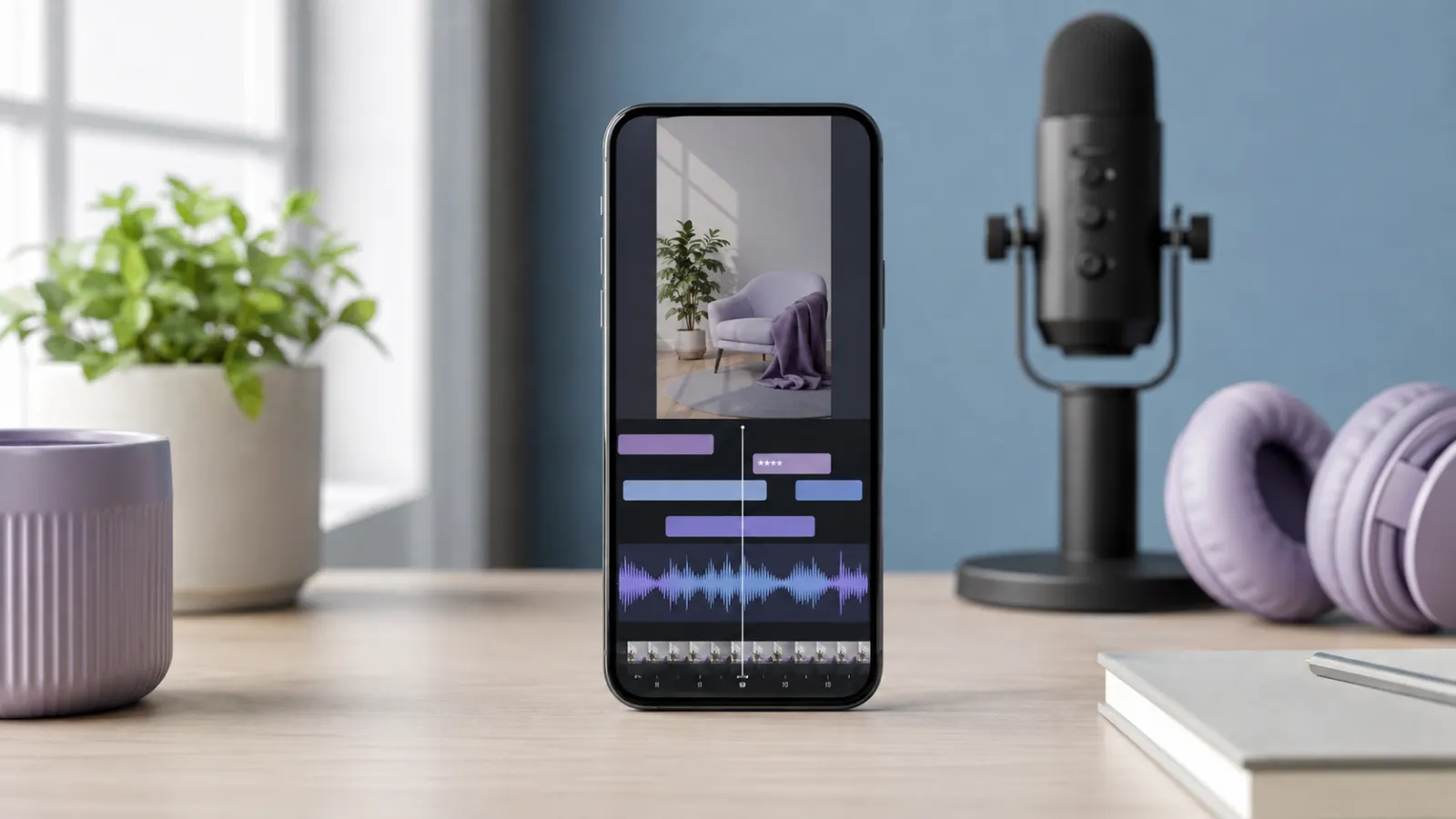
A curse word can appear in two parts of a TikTok video: the spoken audio and the on-screen captions. Changing the caption only hides the written word. Viewers will still hear the original language unless you also mute, replace, or cover that section of audio.
TikTok lets creators edit auto-generated captions, including captions on an existing video. For precise audio censoring, however, a timeline editor such as CapCut usually gives you better control.
Quick Answer
To censor a curse word in TikTok captions:
- Upload or record your video in TikTok.
- Select the caption or auto-caption tool.
- Let TikTok transcribe the speech.
- Open the generated caption that contains the curse word.
- Replace the word with asterisks, a softer term, or the word bleep.
- Review the timing and spelling.
- Save the captions and preview the complete video.
TikTok also allows you to edit or remove an auto-generated caption after posting. Open the video, tap the caption, select Edit captions, make the correction, and save it. This option may not appear identically in every app version or region.
If the curse word remains audible, edit the video in CapCut or another timeline editor before uploading it to TikTok.
What Does Bleeping a Curse in TikTok Captions Mean?
People often use the word bleep for both audio and text censorship, but these are separate edits.
Censoring the caption text
This changes what viewers read on the screen.
For example:
a- What the hell happened?
can become:
b- What the h*** happened?
c- What the heck happened?
d- What the bleep happened?
e- What happened?
Bleeping the spoken audio
This changes what viewers hear. You can:
a-Replace the spoken word with a traditional bleep
b- Mute the word completely
c- Lower the volume during the word
d- Cover it with a sound effect
e- Replace it with a cleaner word through a voiceover
For a properly censored video, check both the written captions and the original audio.
How to Censor Curse Words in TikTok Auto Captions
TikTok can generate captions from speech in a video. Once the captions appear, review every line rather than assuming the transcription is correct.
The names and positions of editing controls can change between app versions, devices, and regions. TikTok’s current support documentation confirms that creators can add and edit captions, but your exact screen may look slightly different.
Step 1: Record or upload your video
Open TikTok and tap the Create button. Record a new clip or upload an existing video from your device.
Complete your main video edits before working on the captions. Cutting the video later may change the timing of your text.
Step 2: Generate the captions
Open the editing tools and choose the available caption or auto-caption option. TikTok will analyze the spoken audio and create timed text.
Wait for the transcription to finish before continuing.
Step 3: Find the curse word
Read the generated captions from beginning to end. Locate every caption segment that contains profanity.
Do not check only the most obvious word. Automatic transcription can:
1- Miss a word completely
2- Spell it incorrectly
3-Combine it with a nearby word
4- Display a different word with a similar sound
5- Place the word in the wrong caption segment
Step 4: Edit the caption
Tap the affected caption segment and replace the curse word.
You might change:
a- Fuck to f***
b- Shit to s***
c- Damn to d***
d- Bitch to b****
e- Ass to a**
You can also replace the whole word with:
a- Bleep
b- Censored
c- Seriously
d- What the heck
d- No way
e- A cleaner alternative that matches the sentence
Use a replacement that preserves the speaker’s intended meaning.
Step 5: Check the caption timing
Play the section again. Make sure the censored text appears at the same time as the spoken word.
If the caption appears too early or remains too long, adjust its timing if your editing screen provides that control. Otherwise, shorten the caption or rebuild it as a manual text overlay.
Step 6: Preview the video
Watch the complete video with the sound on. Then watch it again with the sound muted.
The first review helps you check the audio. The second shows whether the captions make sense to someone relying on the written text.
Step 7: Save and post
Save the caption changes and continue to the posting screen. Before publishing, check:
1- Auto captions
2- Manual text overlays
3- Stickers containing text
4- Cover text
5- The written post description
6-Hashtags
A curse may remain visible in one of these places even after you clean the main captions.
How to Edit a Curse Word in Captions After Posting
If TikTok generated captions for an existing post, you may be able to correct them without deleting the entire video.
TikTok provides the following general process:
- Open your TikTok profile.
- Select the video with the incorrect caption.
- Tap the auto-generated caption on the video.
- Choose Edit captions.
- Edit or remove the affected caption.
- Save the changes.
This edits the caption text, not the original spoken audio. TikTok documents this post-publication caption-editing process in its video accessibility guide.
If you cannot find the option, update TikTok and check again. I cannot confirm that the feature appears on every account, device, video type, or regional version.
How to Bleep the Spoken Curse Word
Editing the caption does not remove profanity from the audio. If you want viewers to hear a bleep instead of the word, you must edit the sound.
TikTok’s in-app controls may work for a simple cover, but they may not provide the frame-level control needed to silence only one word. A timeline editor usually creates a cleaner result.
The Most Reliable Method: Edit the Audio Before Uploading
Use CapCut or another video editor that supports split clips, multiple audio tracks, and volume adjustments.
Step 1: Import the original video
Open your editor, create a new project, and add the video.
Step 2: Locate the curse word
Play the clip and pause near the profanity. Zoom into the timeline so you can see the audio waveform more clearly.
Headphones will help you identify the exact beginning and end of the word.
Step 3: Split around the word
Make one cut immediately before the curse begins and another immediately after it ends.
Try to isolate the word without cutting part of the surrounding sentence.
Step 4: Silence the original word
Select the isolated audio section and reduce its volume to zero.
If your editor separates the audio from the video, mute only the selected audio segment. Avoid muting the entire clip.
Step 5: Add a bleep or sound effect
Place a short bleep on a separate audio track. Align it with the muted section.
The bleep should begin slightly before the first audible sound of the curse and end after its final sound. This prevents part of the word from slipping through.
Step 6: Balance the volume
A bleep should cover the word clearly without becoming painfully loud. Compare it with the volume of the surrounding speech and adjust it until the transition sounds natural.
Step 7: Export the clean video
Preview the edited section several times. Export the video after confirming that no part of the original curse remains audible.
Upload this version to TikTok, generate captions, and censor the same word in the caption text.
How to Cover a Curse With a Sound Effect
A classic electronic bleep is not your only option. A creative sound can make the edit feel intentional and entertaining.
Try:
1- A pop
2- A record scratch
3- A horn
4- A whistle
5- A camera shutter
6- A cash register sound
7- A cartoon impact
8- A bird chirp
9- A notification tone
10-A spoken nope
11- A dramatic gasp
12- A brief moment of silence
Choose a sound that fits the mood of the video. A light pop may suit a lifestyle clip, while a dramatic horn may work better in a comedy video.
Do not assume that placing a sound effect over the curse will hide it. Mute or lower the original word first. Otherwise, viewers may hear both sounds.
Clean Ways to Write Censored Words in TikTok Captions
The best caption style depends on whether you want clarity, humor, or a completely family-friendly result.
Replace every letter
Use this style when the exact word is obvious from context.
• CENSORED
• BLEEP
Use a grawlix
A grawlix is a string of symbols that represents swearing.
• @#$%
• %!#@
These work best in funny or exaggerated captions. They may feel distracting in an educational or serious video.
Replace the word with a cleaner expression
A natural substitute often reads better than symbols.
1- What the heck
2- What on earth
3- That is messed up
4- This is ridiculous
5- No freaking way
6- You have to be kidding
7- That was awful
8- I cannot believe it
9- What a disaster
10- I am so done
Remove the word
If the sentence remains clear without the profanity, deletion may produce the cleanest caption.
Original:
• That was so damn difficult.
Edited:
• That was so difficult.
Original:
• This is a freaking disaster.
Edited:
• This is a disaster.
Which Censoring Style Should You Choose?
Use the least disruptive option that still matches your audience and purpose.
For comedy videos
Try a bleep, horn, pop, or symbol-based caption. The interruption can become part of the joke.
For brand content
Mute the word or replace it with a neutral phrase. Keep the captions clean and easy to read.
For educational videos
Preserve the meaning without displaying unnecessary profanity. A partial mask may work when the exact language matters to the explanation.
For storytelling
A short bleep can preserve the emotion and rhythm of the speaker. Pair it with a caption such as bleep or a partially masked word.
For younger audiences
Replace the word entirely in both the audio and captions. A softer expression usually feels more natural than visible symbols.
For serious or sensitive stories
Avoid a playful sound effect that changes the emotional tone. Silence, a soft mute, or a restrained caption replacement may work better.
Does Bleeping Curses Prevent TikTok Restrictions?
Not necessarily.
TikTok uses content levels to decide whether posts with mature or complex themes are suitable for broader audiences. Its support documentation lists profanity or vulgarity among the factors that may affect age-restricted content classification. See TikTok’s explanation of content levels.
Censoring one word does not guarantee wider distribution, recommendation eligibility, or protection from moderation. TikTok may consider the full context of the video, including:
a -Spoken language
b-On-screen text
c- Visual content
d- The post description
e- Hashtags
f- The subject being discussed
g- The intensity and frequency of mature material
Use censoring to make your content clearer and more appropriate for its intended audience, not as a guaranteed way to influence reach.
Common Problems and How to Fix Them
The curse is hidden in the caption but still audible
You edited only the text. Return to the original video and mute, cut, or cover the spoken word.
Part of the word can still be heard
Extend the muted section slightly at both ends. Move the bleep a fraction earlier and let it finish a fraction later.
The bleep covers the next word
Shorten the sound effect or separate the words more carefully on the timeline.
The captions reveal the full word
Open the auto captions and edit the affected segment manually. Check whether the same word appears in a separate text overlay.
TikTok transcribes the bleep incorrectly
Replace the generated text yourself. Automatic captioning may interpret the bleep as speech or omit the section.
The bleep sounds too loud
Lower the sound effect volume. Preview with headphones and through the phone’s speaker before exporting.
The caption looks awkward
Use a clean replacement instead of several symbols. For example, change a long masked word to bleep, seriously, or a natural alternative.
You cannot edit the caption after posting
I cannot confirm post-publication caption editing availability for every account and video. If the control does not appear, preserve the original project, correct the captions in a new export, and decide whether reposting is appropriate.
Mistakes to Avoid
Editing only what viewers read
Many creators mask the written word but forget the audio. Check both parts separately.
Adding a bleep without muting the original speech
The curse may remain understandable beneath the sound effect. Silence the original word first.
Trusting automatic transcription without review
Names, slang, accents, music, and overlapping voices can affect transcription. Read every caption before posting.
Using too many symbols
A long row of symbols can make captions difficult to follow. Keep the replacement short and clear.
Removing important context
If profanity forms part of a quotation, discussion, or personal account, edit it in a way that preserves the intended meaning.
Assuming censorship guarantees reach
A masked word does not override TikTok’s content assessment. The complete video still matters.
Forgetting accessibility
Captions should communicate what the audience hears. If the audio contains a bleep, the text should make that interruption understandable without exposing the word you intended to hide.
A Simple Final Review Checklist
Before posting, confirm each item:
1-Every spoken curse has been muted, replaced, or covered.
2- No part of the original word remains audible.
3- Every caption contains the intended censored version.
4- Manual text overlays are clean.
5- The post description and cover text are appropriate.
6- Caption timing matches the speech.
7- The bleep volume feels comfortable.
8- The sentence still makes sense.
9- The censor style suits the tone of the video.
10- You watched the entire exported file before uploading it.
Final Thoughts
Learning how to bleep out curses in TikTok captions requires two checks: what viewers read and what they hear. Edit TikTok’s auto-generated captions to mask or replace the written word. If the original audio contains profanity, mute that moment and add a bleep or suitable sound effect before uploading.
Keep the timing precise, preserve the meaning, and watch the finished video from beginning to end. A careful final review produces cleaner captions and a better viewing experience
Frequently Asked Questions
Can TikTok automatically bleep curse words?
TikTok provides caption-generation and caption-editing tools, but I cannot confirm an official TikTok feature that automatically detects every curse and replaces its audio with a bleep. For reliable audio censoring, isolate the word in a timeline editor, mute it, and add a censor sound.
Can I edit TikTok auto captions?
Yes. TikTok says creators can edit or remove auto-generated captions. The exact controls may vary by app version, region, device, and video type.
Can I censor a caption without changing the audio?
Yes. Edit the generated caption and mask, replace, or remove the written curse. Viewers will still hear the original word unless you also edit the audio.
Should I write bleep or use asterisks?
Both work. Use bleep when the audio contains a clear censor tone. Use asterisks when you want viewers to recognize the original word without seeing it in full.
How many letters should I leave visible?
Leave only enough letters to preserve meaning. One opening letter followed by asterisks often works, such as s*** or f***. For a younger or more sensitive audience, replace the complete word.
Can I add a bleep after posting a TikTok?
Editing an existing caption does not change the uploaded audio. Adding a precise censor sound will generally require editing the original video file and uploading the corrected version. I cannot confirm that every account has an in-app option to replace a small section of audio after publication.
Will TikTok remove a video for one curse word?
That cannot be determined from the presence of one word alone. TikTok’s published content-level guidance considers profanity and vulgarity, but moderation and audience classification depend on the broader content and context. Review TikTok’s current policies before publishing sensitive material.
Is muting better than using a bleep?
Muting creates a cleaner, less distracting result. A bleep makes the censorship obvious and can add comedic timing. Choose the option that fits the video.
Should captions match the censored audio?
Yes. If viewers hear a bleep, the captions should represent that moment clearly. A partially masked word, bleep, or a suitable replacement can preserve meaning without displaying the full curse.
Can CapCut censor curses automatically?
CapCut features can differ by version, device, subscription, and region. You can manually split and mute audio in a timeline, but I cannot confirm that automatic profanity detection is available to every CapCut user.