
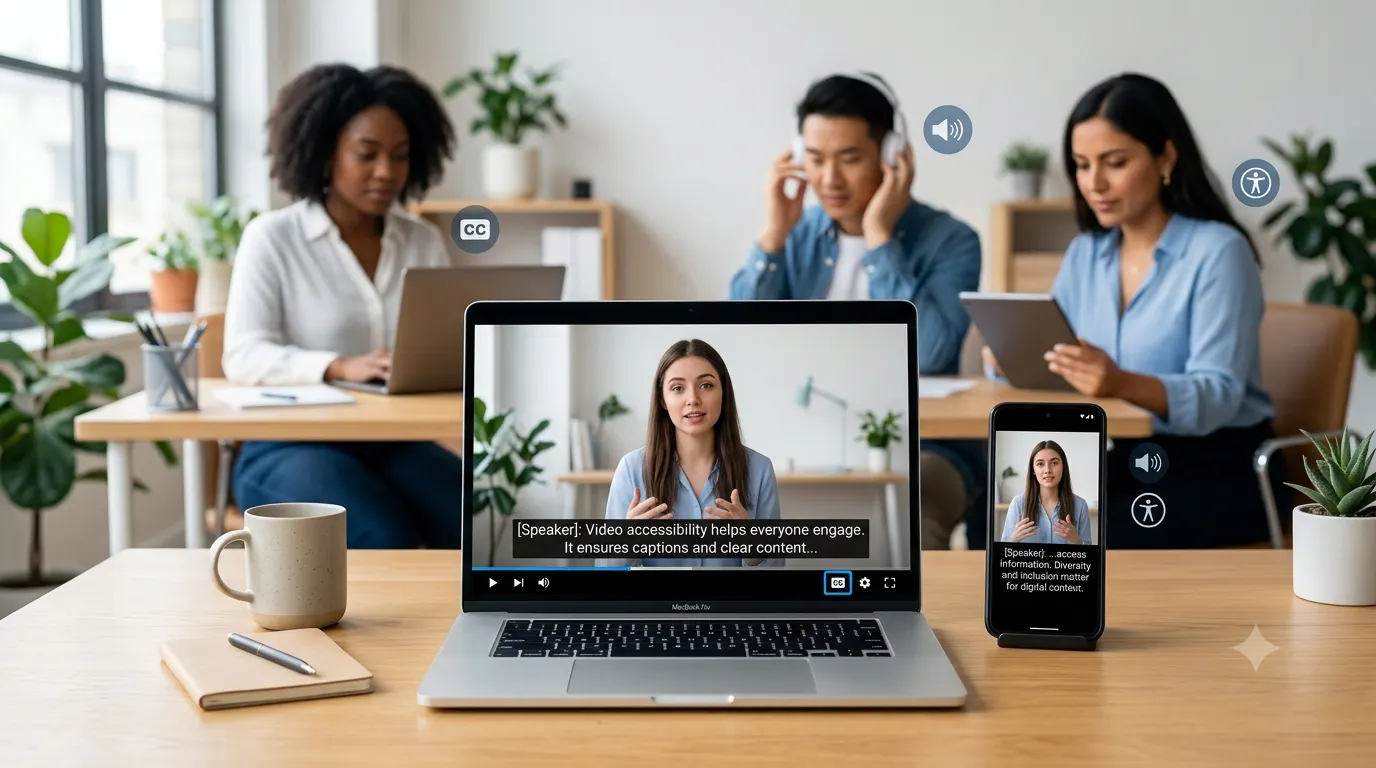
Closed captions help millions of people enjoy videos every day. They make content easier to understand for viewers who are deaf or hard of hearing, people watching without sound, language learners, and anyone viewing videos in noisy or quiet environments. Whether you’re creating content for YouTube, Instagram, TikTok, Facebook, online courses, or business presentations, understanding closed captions can improve accessibility, audience engagement, and the overall viewing experience. This guide explains what closed captions are, how they differ from subtitles, why they matter, and how to create accurate captions that make every video more inclusive.
What Are Closed Captions?
Closed captions are text versions of all meaningful audio in a video. They display spoken dialogue and also describe important sounds that viewers need to understand what’s happening. Unlike regular subtitles, closed captions include sound effects, music cues, speaker identification, and other non-verbal audio information. For example, instead of showing only:
• Welcome back to our channel!
Closed captions may display:
• Welcome back to our channel!
• Soft music plays.
• Door closes.
• Audience applauds.
The viewer can usually turn closed captions on or off whenever they want, which is why they’re called “closed” captions.
Quick Answer
If you’re searching for the meaning of closed captions, here’s the short answer: Closed captions are optional on-screen text that displays spoken words and important audio information in a video. They improve accessibility for people who cannot hear all of the audio and also help viewers who prefer watching videos with the sound turned off.
Why Closed Captions Matter More Than Ever
People consume video in many different situations.
Someone may be commuting on a train.
Another viewer may be in a library.
Someone else may have hearing loss.
Others simply prefer reading while watching.
Closed captions make videos more flexible and accessible for every audience.
Some of the biggest benefits include:
• Improved accessibility for deaf and hard of hearing viewers.
• Better understanding in noisy environments.
• Easier viewing without turning on sound.
• Better comprehension for non-native English speakers.
• Improved focus during educational videos.
• Greater audience retention.
• More inclusive content.
• Better user experience across devices.
Many creators also discover that captioned videos receive longer watch times because viewers can immediately follow the conversation without relying solely on audio.
Closed Captions vs. Subtitles
Many people use these terms interchangeably, but they serve different purposes.
Closed Captions
Closed captions include:
• Spoken dialogue.
• Speaker identification.
• Background sounds.
• Music descriptions.
• Sound effects.
• Environmental audio.
Example:
• Emma: We made it!
• Thunder rumbles.
• Gentle piano music continues.
Subtitles
Subtitles generally focus only on spoken dialogue.
They assume the viewer can hear the background sounds but may not understand the language being spoken.
Example:
• We made it!
No additional sound information is included.
Simple Comparison
| Closed Captions | Subtitles |
|---|---|
| Includes dialogue | Includes dialogue |
| Includes sound effects | Usually no sound effects |
| Includes music descriptions | Rarely includes music descriptions |
| Includes speaker identification | Usually no speaker identification |
| Built for accessibility | Built for language translation or comprehension |
Understanding this difference helps creators choose the right option for their audience.
How Closed Captions Work
Closed captions are synchronized with a video’s timeline.
As each person speaks or an important sound occurs, the corresponding caption appears on screen.
Modern video platforms allow captions to be:
• Created manually.
• Generated automatically using speech recognition.
• Uploaded as caption files.
• Edited for better accuracy.
Most professional creators review automatically generated captions before publishing because automated tools can misunderstand names, accents, technical terms, and punctuation.
What Information Do Closed Captions Include?
High-quality closed captions communicate more than spoken words.
They may include:
Dialogue
Every spoken sentence appears as readable text.
Example:
• I’ll meet you at six.
Speaker Identification
When multiple people are talking, captions identify each speaker when necessary.
Example:
• Sarah: The meeting starts now.
• David: I’ll join in a minute.
Important Sound Effects
Captions describe sounds that affect the story.
Examples include:
• Phone rings.
• Glass shatters.
• Dog barks.
• Crowd cheers.
• Engine starts.
• Rain falls.
• Alarm sounds.
Music Information
Music often sets the mood.
Captions can communicate this by adding descriptions such as:
• Soft piano music plays.
• Upbeat pop music begins.
• Dramatic orchestral music builds.
• Gentle acoustic guitar continues.
These descriptions help viewers understand emotional context.
Who Benefits from Closed Captions?
Many people assume captions exist only for viewers with hearing loss.
In reality, they benefit a much wider audience.
People Who Are Deaf or Hard of Hearing
This is the primary purpose of closed captions.
Captions provide equal access to spoken information and meaningful sounds.
Students
Educational videos become easier to follow.
Students can both hear and read important information, improving comprehension and note-taking.
Language Learners
Reading words while hearing them spoken helps improve vocabulary, pronunciation, and listening skills.
Mobile Users
Many people browse social media with their phones muted.
Captions help them understand content instantly without increasing the volume.
Office Workers
People often watch videos during breaks or in shared workspaces where sound may not be appropriate.
Travelers
Captions remain useful in airports, buses, trains, and crowded public places where background noise makes audio difficult to hear.
Where You See Closed Captions Every Day
Closed captions appear across almost every modern video platform.
Common examples include:
• YouTube videos.
• Instagram Reels.
• TikTok videos.
• Facebook videos.
• LinkedIn video posts.
• Online courses.
• Webinars.
• Streaming services.
• Video podcasts.
• Corporate training videos.
• University lectures.
• Product demonstrations.
• News broadcasts.
• Live event recordings.
As video consumption continues to grow, captions have become an expected feature rather than an optional extra.
Common Types of Closed Captions
Not all captions are created the same way.
Manual Captions
A person writes and synchronizes every caption.
Advantages:
• Highest accuracy.
• Better punctuation.
• Correct names.
• Better timing.
• Improved readability.
Automatic Captions
Artificial intelligence generates captions automatically.
Advantages:
• Fast.
• Affordable.
• Good starting point.
Limitations:
• Can misunderstand accents.
• May miss punctuation.
• Can confuse similar words.
• Often requires editing.
Live Captions
Used during live broadcasts, webinars, conferences, and online meetings.
These captions appear in real time as people speak.
Although modern speech recognition has improved significantly, live captions still benefit from human review whenever possible.
Accessibility Benefits of Closed Captions
Accessibility is about removing barriers.
Closed captions make digital content usable for more people without changing the core experience.
Some accessibility benefits include:
• Equal access to spoken information.
• Better learning experiences.
• Improved independence.
• Greater digital inclusion.
• Easier communication.
• Better comprehension during complex discussions.
• Improved usability across devices.
• More flexible viewing environments.
Accessible content also reflects positively on creators and organizations by showing they value every member of their audience.
Examples of Closed Captions
Below are examples that show how closed captions provide more context than subtitles alone.
Sound Effect Examples
• Door opens.
• Footsteps approach.
• Wind blows.
• Birds chirp.
• Camera shutter clicks.
• Water splashes.
• Keyboard typing continues.
• Car engine starts.
• Crowd laughs.
• Fireworks explode.
Music Cue Examples
• Calm background music plays.
• Suspenseful music builds.
• Cheerful melody begins.
• Dramatic music fades in.
• Soft jazz music continues.
• Gentle rain sounds play.
• Upbeat electronic music starts.
• Emotional violin music swells.
• Quiet ambient music continues.
• Theme music fades out.
Best Practices for Writing Effective Closed Captions
Good closed captions do more than convert speech into text. They should be accurate, easy to read, and synchronized with the video so viewers can follow along naturally.
Here are some best practices every creator should follow.
1. Prioritize Accuracy
Incorrect captions can confuse viewers and change the meaning of a sentence.
Always review automatically generated captions before publishing. Check:
• Names and places.
• Technical terms.
• Brand names.
• Numbers and dates.
• Grammar and punctuation.
2. Keep Captions Synchronized
Captions should appear exactly when the audio is heard.
If captions appear too early or too late, viewers may struggle to follow conversations.
3. Use Natural Sentence Breaks
Avoid splitting sentences in awkward places.
Good example:
• Today we’re sharing five simple editing tips.
• Let’s start with lighting.
Less readable example:
• Today we’re sharing
• five simple editing tips let’s
• start with lighting.
4. Identify Different Speakers
When multiple people are speaking, clearly identify them if it’s not obvious.
Example:
• Alex: Ready to begin?
• Mia: Almost finished.
This is especially helpful during interviews, podcasts, webinars, and panel discussions.
5. Describe Important Sounds
Only include sounds that help viewers understand what’s happening.
Useful examples:
• Phone vibrates.
• Baby cries.
• Audience laughs.
• Glass breaks.
• Thunder rolls.
• Applause continues.
• Dog barks nearby.
• Soft music fades out.
Avoid describing every minor background noise that doesn’t add value.
6. Use Proper Punctuation
Good punctuation improves readability.
Compare:
• Let’s eat, Grandma!
versus
• Let’s eat Grandma!
Small punctuation mistakes can completely change meaning.
7. Don’t Cover Important Visuals
Place captions where they don’t block faces, charts, product demonstrations, or on-screen text whenever possible.
Common Closed Caption Formats
Different platforms support different caption file formats.
Some of the most common include:
SRT
The most widely supported caption format.
It contains:
• Caption number.
• Time codes.
• Caption text.
VTT
Often used for HTML5 video.
It supports additional formatting and positioning features.
SCC
Common in professional television broadcasting.
Embedded Captions
Some videos permanently display captions that viewers cannot turn off.
These are often called open captions, not closed captions.
Closed Captions Across Popular Platforms
Most major video platforms either support uploaded caption files or provide automatic caption generation.
YouTube
YouTube allows creators to:
• Upload caption files.
• Create captions manually.
• Edit automatic captions.
• Add captions in multiple languages.
Instagram provides automatic captions for many video formats and also supports manually added text within videos.
Captions improve engagement because many people browse with sound turned off.
TikTok
TikTok includes automatic caption generation that creators can edit before publishing.
Accurate captions help viewers follow short-form videos more easily.
Facebook supports uploaded caption files for videos and encourages accessible content for wider reach.
Professional video content becomes easier to consume in office environments when captions are available.
Online Learning Platforms
Educational platforms often require captions because they improve accessibility and learning outcomes.
Do Closed Captions Help SEO?
While captions themselves are not a direct ranking factor for every search engine, they can support discoverability in several ways.
Benefits include:
• More text associated with video content.
• Better keyword relevance.
• Improved user engagement.
• Longer watch time.
• Better accessibility signals.
• Easier indexing of spoken content.
For creators publishing videos on websites, accurate transcripts and captions can also improve the overall user experience.
Common Closed Caption Mistakes to Avoid
Even experienced creators sometimes overlook caption quality.
Avoid these common mistakes.
Leaving Auto Captions Unedited
Automatic speech recognition is helpful, but it isn’t perfect.
Always proofread before publishing.
Missing Sound Descriptions
If an important sound explains the story, include it.
For example:
• Explosion echoes.
• Alarm sounds.
• Crowd applauds.
Using All Caps
ALL CAPITAL LETTERS ARE HARDER TO READ.
Sentence case is much more comfortable for most viewers.
Showing Too Much Text at Once
Long blocks of text force viewers to choose between reading and watching.
Break captions into smaller segments.
Poor Timing
Captions should stay on screen long enough for viewers to comfortably read them without falling behind.
Ignoring Speaker Changes
Clearly distinguish different speakers during conversations.
Examples of Well Written Closed Captions
These examples demonstrate natural, accessible caption writing.
Everyday Conversations
- Good morning, everyone.
- Thanks for being here.
- Let’s get started.
- I’ll explain the process.
- That’s an excellent question.
- Give me just a second.
- Welcome back.
- Nice to meet you.
- We’ll continue after the break.
- Thanks for watching.
Speaker Identification Examples
- Emma: I found the missing file.
- Noah: Great work!
- Teacher: Please open page twenty.
- Student: I have a question.
- Host: Welcome to today’s episode.
- Guest: Thanks for inviting me.
- Doctor: Your results look good.
- Reporter: Back to the studio.
- Coach: Keep moving.
- Team: We can do it!
Sound Effect Examples
- Door opens.
- Door closes.
- Soft footsteps approach.
- Thunder rumbles.
- Rain begins falling.
- Wind whistles outside.
- Audience applauds.
- Audience laughs.
- Camera shutter clicks.
- Phone rings.
- Keyboard typing continues.
- Car engine starts.
- Bicycle bell rings.
- Dog barks.
- Cat meows.
- Baby laughs.
- Baby cries.
- Glass shatters.
- Alarm sounds.
- Train arrives.
Music Cue Examples
- Gentle piano music plays.
- Upbeat pop music begins.
- Calm ambient music continues.
- Suspenseful music builds.
- Dramatic orchestra swells.
- Acoustic guitar fades in.
- Jazz music plays softly.
- Emotional violin melody continues.
- Music fades out.
- Theme song begins.
Educational Video Examples
- Today’s lesson covers basic photography.
- Watch the instructor’s hand placement.
- Pause the video if you need more time.
- Let’s review the previous chapter.
- This formula solves the equation.
- Notice the highlighted section.
- Repeat this exercise three times.
- The answer appears on screen.
- We’ll practice together.
- Great job completing the lesson.
Business Presentation Examples
- Quarterly sales increased this month.
- Let’s review the latest data.
- Our next objective starts today.
- Customer satisfaction improved significantly.
- Here’s the updated timeline.
- Please submit your questions.
- We’ll discuss the budget next.
- Thank you for attending.
- Meeting adjourned.
- Have a productive week.
Travel and Lifestyle Examples
- Waves crash against the shore.
- Birds sing in the distance.
- The city slowly wakes up.
- Leaves rustle in the breeze.
- Water flows gently downstream.
- Campfire crackles.
- Snow crunches beneath our boots.
- Boat horn echoes across the harbor.
- Airplane lands safely.
- Sunset music begins.
Cooking Video Examples
- Water starts boiling.
- Stir continuously.
- Oil sizzles in the pan.
- Chop the onions finely.
- Add the spices.
- Mix until smooth.
- Bake for thirty minutes.
- Let it cool completely.
- Serve while warm.
- Enjoy your meal.
Gaming Examples
- Level completed.
- Mission starts now.
- Enemy approaches.
- Victory music plays.
- Achievement unlocked.
- Timer starts counting down.
- Game over.
- New objective appears.
- Character levels up.
- Thanks for playing.
These examples demonstrate how closed captions communicate both speech and important audio cues, making videos more accessible and enjoyable for every viewer.
More Closed Caption Examples
The following examples demonstrate natural, accessible closed captions for different situations. They include spoken dialogue, sound effects, music cues, and speaker labels that help viewers understand the full context of a video.
Event and Presentation Examples
- Welcome to today’s conference.
- Please take your seats.
- The presentation will begin shortly.
- Audience applauds.
- Microphone feedback squeals briefly.
- Presenter: Thank you for joining us.
- Slide changes.
- Laughter fills the room.
- Questions will begin in five minutes.
- Closing music plays.
Sports Examples
- Referee blows the whistle.
- Crowd cheers loudly.
- The home team scores.
- Announcer: What an incredible play!
- Stadium erupts with applause.
- Ball hits the crossbar.
- Timer expires.
- Coach calls a timeout.
- Fans chant together.
- Victory celebration begins.
Nature and Documentary Examples
- Birds sing at sunrise.
- Water flows over the rocks.
- Leaves rustle in the breeze.
- Narrator: This forest is over 200 years old.
- Eagles soar overhead.
- Waves crash against the cliffs.
- Insects buzz nearby.
- Gentle rain begins falling.
- Thunder echoes in the distance.
- Wind grows stronger.
Home and Family Examples
- Kids laugh together.
- Dinner is ready.
- Doorbell rings.
- Dog runs across the yard.
- Family applauds.
- Happy birthday!
- Candles are blown out.
- Wrapping paper tears.
- Camera shutter clicks.
- Everyone laughs.
Office Examples
- Keyboard typing continues.
- Phone vibrates.
- Printer starts.
- Team meeting begins.
- Sarah: Let’s review today’s goals.
- James: I’ll finish the report this afternoon.
- Coffee machine hums.
- Notification sound plays.
- Meeting concludes.
- Everyone thanks the presenter.
Classroom Examples
- Teacher: Open your textbooks.
- Students turn pages.
- Pencil drops on the floor.
- Bell rings.
- Class laughs.
- Projector turns on.
- Student raises a hand.
- Teacher writes on the board.
- Lesson ends.
- Students leave the classroom.
Travel Examples
- Train arrives at the station.
- Flight boarding begins.
- Airport announcement plays.
- Suitcase wheels roll across the floor.
- Passport is checked.
- Waves crash nearby.
- Seagulls call overhead.
- Ferry horn sounds.
- Backpack zipper closes.
- Adventure begins.
Lifestyle Examples
- Morning alarm rings.
- Coffee brews quietly.
- Window opens.
- Birds chirp outside.
- Workout music starts.
- Timer reaches zero.
- Deep breath.
- Relaxing music fades in.
- Journal pages turn.
- Day comes to a peaceful end.
Technology Examples
- Computer starts.
- Software finishes loading.
- File downloads successfully.
- Notification appears.
- Keyboard clicks rapidly.
- Mouse clicks.
- Upload reaches 100 percent.
- Device restarts.
- Success tone plays.
- Installation complete.
Entertainment Examples
- Audience laughs.
- Theme music begins.
- Host: Welcome back!
- Contestant celebrates.
- Dramatic music builds.
- Suspense continues.
- Commercial break begins.
- Audience applauds again.
- Credits begin rolling.
- Theme music fades out.
Conclusion
Closed captions are much more than text on a screen. They make videos accessible, improve comprehension, and create a better viewing experience for everyone. Whether you’re publishing educational content, social media videos, product demonstrations, webinars, or entertainment, adding accurate closed captions helps you reach a broader audience while making your content more inclusive and professional. As video continues to dominate digital communication, high-quality captions are no longer optional. They’re a best practice that benefits creators, businesses, educators, and viewers alike.
Frequently Asked Questions
What are closed captions?
Closed captions are on-screen text that displays spoken dialogue along with meaningful sounds, music cues, and speaker identification. Unlike open captions, viewers can usually turn them on or off.
What’s the difference between closed captions and subtitles?
Closed captions include dialogue and important non-speech audio, such as sound effects and music descriptions. Subtitles usually display only spoken words and are primarily intended for viewers who can hear the audio but need language support.
Why are closed captions important?
They improve accessibility for people who are deaf or hard of hearing, help viewers watching without sound, support language learners, and make videos easier to understand in noisy environments.
Can I use automatic captions?
Yes, but you should always review them before publishing. Automatic speech recognition has improved significantly, but it can still make mistakes with names, technical terms, accents, and punctuation.
Which platforms support closed captions?
Most major video platforms support captions, including YouTube, Facebook, Instagram, TikTok, LinkedIn, streaming services, webinar software, and many online learning platforms.
Do closed captions improve SEO?
Captions can improve user engagement, increase watch time, make video content easier to understand, and provide searchable text that helps search engines better interpret your content.
What should good closed captions include?
Quality captions should include:
• Accurate dialogue.
• Correct punctuation.
• Speaker identification when needed.
• Important sound effects.
• Music descriptions that add context.
• Proper synchronization with the audio.
1 thought on “Closed Captions: Meaning, Benefits, and Best Practices”