
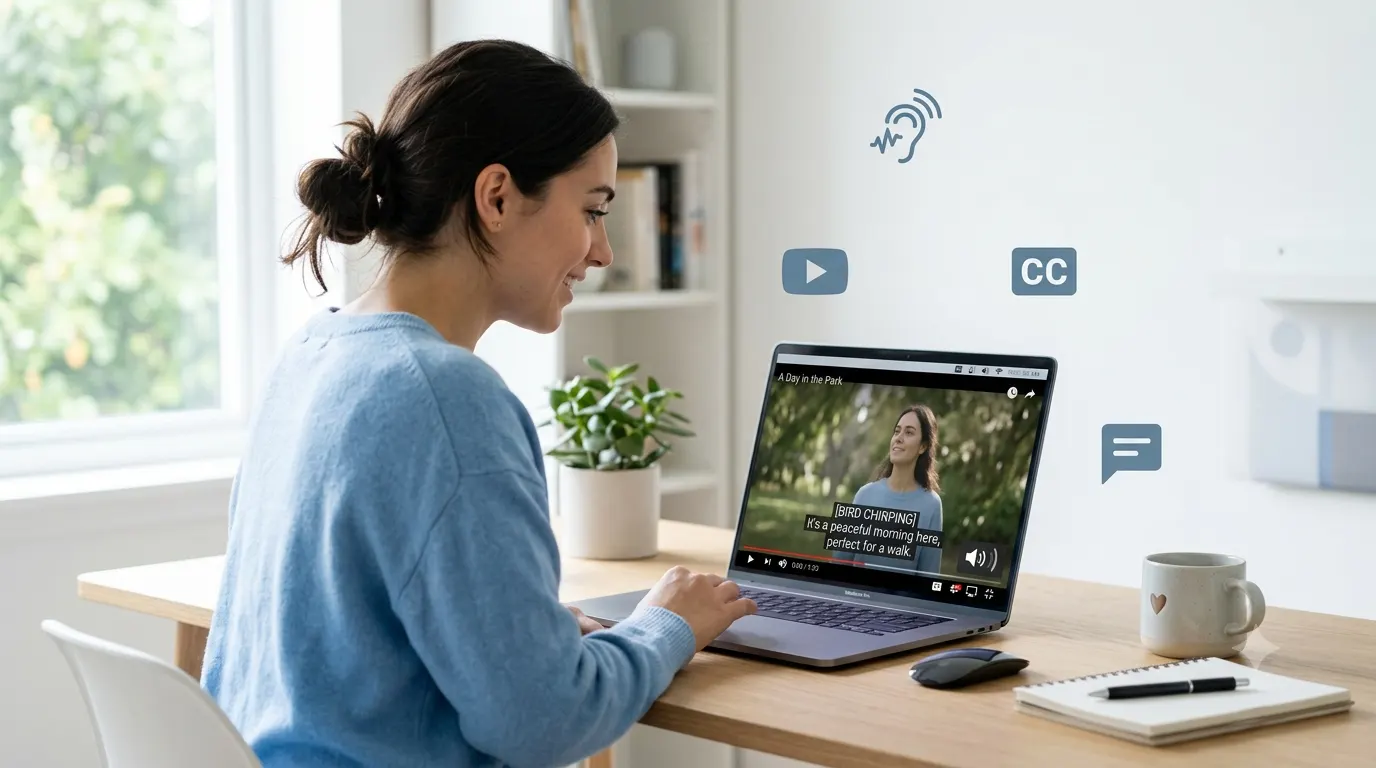
Closed captioning helps people understand spoken content by displaying synchronized text on a screen. While many people think captions simply show dialogue, closed captions also describe important sounds, music cues, speaker changes, and other audio details. This makes videos more accessible for people who are deaf or hard of hearing while also improving the viewing experience in many everyday situations. Whether you watch videos on YouTube, stream movies, attend online classes, or create content for social media, understanding closed captioning can help you communicate more effectively and reach a wider audience.
What Is Closed Captioning?
Closed captioning is a text version of a video’s audio that viewers can turn on or off whenever they choose. Unlike standard subtitles, closed captions include more than spoken words. They also identify background sounds, music, laughter, applause, alarms, and speaker names when necessary.
For example, a closed caption might display:
- Sarah: We should leave now.
- Phone rings.
- Soft piano music plays.
- Audience applauds.
These extra details ensure viewers receive the same information that someone listening to the audio would experience.
Quick Answer: What Is Closed Captioning?
Closed captioning is an accessibility feature that displays synchronized text for spoken dialogue and important non-speech audio in videos, television programs, live broadcasts, and online content. Viewers can usually turn closed captions on or off through their device or video player settings.
Closed captions help:
- People who are deaf or hard of hearing.
- Viewers watching videos without sound.
- People learning a new language.
- Students following educational content.
- Anyone watching videos in noisy or quiet environments.
How Does Closed Captioning Work?
Closed captions stay synchronized with the video’s audio. As people speak, the captions appear at the correct time on screen. Professional captioning software and trained captioners often create these captions, although automatic speech recognition has become more common in recent years.
The process usually includes these steps:
1. Audio Transcription
Every spoken word is converted into written text. Accurate spelling, punctuation, and grammar help viewers follow conversations naturally.
2. Timing and Synchronization
Each caption receives time codes so it appears exactly when the corresponding speech or sound occurs.
3. Sound Descriptions
Important sounds that affect the story or message are added, such as:
- Door slams.
- Dog barking.
- Thunder rumbles.
- Crowd cheering.
- Gentle rain falls.
- Baby crying.
- Dramatic music builds.
4. Speaker Identification
When multiple people speak without appearing on screen, captions may identify who is talking.
Example:
- John: I’ll meet you outside.
- Emily: I’ll be there in five minutes.
What Information Do Closed Captions Include?
Closed captions provide much more information than simple dialogue.
They may include:
- Spoken conversations
- Background noises
- Sound effects
- Music descriptions
- Song lyrics when relevant
- Speaker identification
- Emotional audio cues
- Environmental sounds
This extra context helps viewers fully understand what is happening, even if they cannot hear the audio.
Types of Closed Captioning
Different situations require different captioning methods. Understanding the main types helps explain why captions may look different depending on where you watch a video.
Closed Captions (CC)
Closed captions can be switched on or off by the viewer. Most streaming platforms, televisions, smartphones, and video players support this option.
Common examples include:
- YouTube videos
- Netflix movies
- Disney+ shows
- Online courses
- Live television
- Webinar platforms
Live Closed Captioning
Live captions appear during events happening in real time.
Examples include:
- News broadcasts
- Sports events
- Government announcements
- Virtual conferences
- University lectures
- Live webinars
- Religious services
Because live captioners work instantly, small delays or occasional errors can happen.
Offline Closed Captioning
Offline captions are created before a video is published. Editors have more time to review and correct the captions, making them more accurate than many live captions.
You’ll often see offline captions in:
- Movies
- TV series
- Training videos
- Educational lessons
- Marketing videos
- Product demonstrations
Closed Captioning vs. Subtitles
People often use these terms interchangeably, but they serve different purposes.
| Feature | Closed Captioning | Subtitles |
|---|---|---|
| Displays spoken dialogue | Yes | Yes |
| Includes sound effects | Yes | Usually no |
| Includes music descriptions | Yes | Rarely |
| Identifies speakers | Yes | Sometimes |
| Designed for accessibility | Yes | Usually for translation |
| Can usually be turned on or off | Yes | Depends on the platform |
In simple terms, subtitles focus on translating or displaying dialogue, while closed captions recreate the complete audio experience in text form.
Why Is Closed Captioning Important?
Closed captioning improves accessibility, learning, and user experience for millions of people worldwide.
It removes communication barriers and makes digital content more inclusive.
Many viewers also use captions even when they have no hearing impairment.
Some common reasons include:
- Watching videos in public without headphones.
- Following dialogue in noisy places.
- Understanding speakers with different accents.
- Learning another language.
- Improving focus while studying.
- Following technical presentations more easily.
Captions have become a standard feature across streaming services, online education platforms, business meetings, and social media because they help more people consume content comfortably.
Accessibility Benefits of Closed Captioning
Accessibility is the primary reason closed captioning exists.
People who are deaf or hard of hearing rely on captions to access entertainment, education, workplace training, and important public information.
Closed captions also support people with temporary hearing loss, age-related hearing changes, or situations where listening isn’t practical.
Some key accessibility benefits include:
- Equal access to information.
- Better educational opportunities.
- Improved workplace communication.
- More inclusive entertainment.
- Easier participation in online learning.
- Better understanding during public announcements.
- Greater independence when consuming digital media.
Accessibility benefits everyone, not only people with permanent disabilities. Even hearing viewers often activate captions to improve comprehension.
Benefits of Closed Captioning for Content Creators and Businesses
Adding closed captions is more than an accessibility improvement. It also helps creators reach larger audiences and improve viewer engagement.
Some of the biggest advantages include:
Improved Viewer Retention
Many people continue watching videos longer when captions are available, especially on mobile devices where videos often autoplay without sound.
Better User Experience
Captions make videos easier to follow, especially when audio quality is poor or viewers are in loud environments.
Wider Audience Reach
Captions allow businesses, educators, marketers, and creators to serve people with different hearing abilities and language backgrounds.
Stronger Search Visibility
Search engines cannot watch videos, but they can understand text. Well-written captions and transcripts provide additional context that can improve the discoverability of video content.
Higher Social Media Engagement
Many users scroll through social media with muted audio. Captions help them understand videos immediately, increasing the chances they continue watching, interact with the content, or share it with others.
Improved Learning Outcomes
Students often absorb information more effectively when they can both hear and read the content at the same time. This makes captions especially valuable for online courses, tutorials, webinars, and training videos.
Where Is Closed Captioning Used?
Closed captioning has become a standard feature across many types of digital content. Whether you’re watching entertainment, attending an online meeting, or taking a virtual class, there’s a good chance captions are available.
Here are some of the most common places you’ll find closed captions.
Streaming Services
Most major streaming platforms include closed captions for movies, TV shows, documentaries, and original content.
Examples include:
- Movies
- TV series
- Children’s programs
- Documentaries
- Reality shows
- Live streaming events
Social Media Platforms
Short-form videos and social media clips often include captions because many users watch with their sound turned off.
Captions are popular on:
- Instagram Reels
- TikTok videos
- Facebook videos
- LinkedIn posts
- X videos
- YouTube Shorts
Educational Platforms
Schools, universities, and online learning providers use captions to make lessons easier to understand and more accessible.
Common examples include:
- Online courses
- Recorded lectures
- Training videos
- Language learning classes
- Educational webinars
Business Meetings
Many video conferencing platforms now provide live captions during virtual meetings.
Captions help participants:
- Follow conversations more easily.
- Understand speakers with different accents.
- Review important discussions.
- Stay engaged during long meetings.
Television Broadcasts
Closed captioning has been used on television for decades and remains an important accessibility feature.
You’ll often see captions on:
- News broadcasts
- Sports events
- Weather reports
- Entertainment programs
- Emergency announcements
How to Turn Closed Captions On or Off
Most modern devices make it easy to enable or disable closed captions.
Although the exact steps vary, the process is usually similar.
On Smart TVs
- Open the video or TV program.
- Select the Settings or Audio menu.
- Choose Captions or CC.
- Turn captions on or off.
On Smartphones and Tablets
Most streaming apps include a caption icon while a video is playing.
Simply:
- Start the video.
- Tap the screen.
- Select the CC or Subtitles button.
- Choose your preferred caption option.
On Computers
Most video players display a CC button near the playback controls.
Click the button and select:
- Closed Captions
- English CC
- Off
On Video Conferencing Apps
Many meeting platforms offer automatic live captions.
Participants can usually enable them by opening the meeting controls and selecting the captions option.
How Closed Captions Are Created
Creating high-quality captions involves more than converting speech into text.
Professional captioning focuses on accuracy, readability, and proper timing.
The process generally includes several steps.
Step 1. Transcribe the Audio
Every spoken word is written exactly as it is heard.
Professional captioners also correct obvious speech recognition mistakes while preserving the intended meaning.
Step 2. Add Timing
Each caption receives precise timestamps so it appears at the correct moment.
Poor timing can make captions confusing, even if the words are accurate.
Step 3. Include Important Sounds
Captions should describe sounds that contribute to understanding the content.
Examples include:
- Alarm sounds.
- Thunder crashes.
- Crowd laughs.
- Glass shatters.
- Upbeat music plays.
- Footsteps approach.
These descriptions help viewers understand events that are not obvious from visuals alone.
Step 4. Review for Accuracy
Editors check captions for:
- Spelling
- Grammar
- Synchronization
- Speaker identification
- Readability
- Proper punctuation
The goal is to make captions easy to follow without distracting from the video.
Automatic vs. Human Closed Captioning
Both automatic and human-created captions have their place, but they differ significantly in quality.
| Feature | Automatic Captions | Human Captions |
|---|---|---|
| Speed | Very fast | Slower |
| Cost | Usually lower | Higher |
| Accuracy | Good, but varies | Very high |
| Background sound recognition | Limited | Excellent |
| Speaker identification | Sometimes inaccurate | Reliable |
| Technical terminology | Often struggles | Much more accurate |
Automatic captions have improved dramatically with advances in speech recognition technology. However, they may still misinterpret accents, uncommon names, technical vocabulary, or overlapping conversations.
Human captioning remains the preferred choice for professional videos, educational content, legal recordings, and important business communications where accuracy matters.
Closed Captioning Best Practices
Whether you’re creating videos for YouTube, online courses, or social media, following these best practices improves accessibility and viewer satisfaction.
Keep Captions Accurate
Incorrect captions can confuse viewers and change the meaning of a message.
Review captions before publishing whenever possible.
Synchronize Captions Properly
Captions should appear when the words are spoken, not several seconds before or after.
Proper timing makes videos easier to follow.
Include Relevant Sound Information
Only describe sounds that help viewers understand what’s happening.
Useful examples include:
- Fire alarm rings.
- Children laugh.
- Suspenseful music plays.
- Heavy rain begins.
Avoid describing every minor background noise if it doesn’t add value.
Use Clear Punctuation
Good punctuation improves readability.
For example:
- Let’s eat, Grandma.
Instead of:
- Let’s eat Grandma.
Small punctuation changes can completely alter meaning.
Identify Speakers When Needed
If multiple people speak off-screen or conversations move quickly, identify the speaker to avoid confusion.
Example:
- Teacher: Please submit your assignment tomorrow.
- Student: Can we have one more day?
Common Closed Captioning Mistakes to Avoid
Even well-intentioned captions can reduce accessibility if they contain avoidable errors.
Watch out for these common mistakes.
Poor Synchronization
Captions that appear too early or too late make conversations difficult to follow.
Missing Sound Descriptions
Ignoring important sounds leaves viewers without key context.
For example, simply showing dialogue may not explain why characters suddenly react to an unseen alarm or loud crash.
Overcrowded Captions
Trying to display too many words at once forces viewers to read instead of watching the video.
Break long sentences into smaller, readable caption segments.
Incorrect Speaker Labels
Misidentifying speakers creates confusion, especially in interviews, podcasts, documentaries, and group discussions.
Unedited Automatic Captions
Speech recognition software continues to improve, but it still makes mistakes.
Always review automatic captions before publishing professional or educational content.
How to Choose the Right Captioning Method
The best captioning solution depends on your content, audience, and budget.
If you’re creating casual social media clips, automatic captions may provide a quick starting point.
For educational videos, business presentations, online courses, webinars, or content that must meet accessibility requirements, professionally reviewed captions offer much better accuracy and a stronger viewing experience.
Before choosing a captioning method, consider:
- Who will watch your content?
- Does your audience rely on accessibility features?
- Will technical terms or multiple speakers appear?
- Is the content live or pre-recorded?
- How important is accuracy?
Answering these questions will help you select the most appropriate captioning approach.
Conclusion
Closed captioning does much more than display spoken words on a screen. It creates a more inclusive viewing experience by presenting dialogue, meaningful sounds, speaker identification, and audio cues in a clear, readable format. As online video continues to grow across education, entertainment, business, and social media, captions have become an essential feature rather than an optional extra. They help people who are deaf or hard of hearing access information, support language learners, improve comprehension in noisy environments, and make videos easier to enjoy without sound. Whether you’re a viewer looking for a better experience or a creator hoping to reach a wider audience, adding accurate closed captions is a simple step that improves accessibility, usability, and engagement for everyone.
Frequently Asked Questions
What is the purpose of closed captioning?
The main purpose of closed captioning is to make audio content accessible by displaying spoken dialogue and important sounds as synchronized text. It helps people who are deaf or hard of hearing while also benefiting viewers who prefer watching videos with the sound off.
What is the difference between closed captioning and subtitles?
Closed captions include dialogue, speaker identification, and important sound effects. Subtitles usually display only spoken dialogue and are often intended for viewers who can hear the audio but need a translation or text support.
Why are they called “closed” captions?
They are called “closed” because viewers can choose whether to turn them on or off. This differs from open captions, which are permanently visible and cannot be disabled.
Are closed captions required by law?
In many countries, accessibility laws require closed captions for certain television broadcasts, educational materials, government communications, and online video content. The exact requirements depend on local regulations and the type of content being distributed.
Can automatic captions replace human captioning?
Automatic captions have improved significantly and work well for many casual videos. However, they can still make mistakes with accents, background noise, technical terms, or multiple speakers. Human-reviewed captions remain the best choice when accuracy is essential.
Do closed captions help SEO?
Yes. Captions and transcripts give search engines additional text to understand a video’s topic. While captions alone do not guarantee higher rankings, they can improve discoverability when combined with strong SEO practices.
Can I use closed captions on live videos?
Yes. Many streaming platforms and video conferencing tools support live closed captioning through speech recognition or professional captioners.
Do captions improve video engagement?
Many viewers watch videos without sound, especially on mobile devices and social media. Captions make those videos easier to follow, which can increase watch time, audience retention, and engagement.
What devices support closed captioning?
Most modern devices support closed captions, including:
- Smart TVs
- Smartphones
- Tablets
- Laptops
- Desktop computers
- Streaming devices
- Gaming consoles
Are closed captions available in different languages?
Yes. Many platforms offer captions in multiple languages. Some are professionally translated, while others are automatically generated and may require editing for better accuracy.