
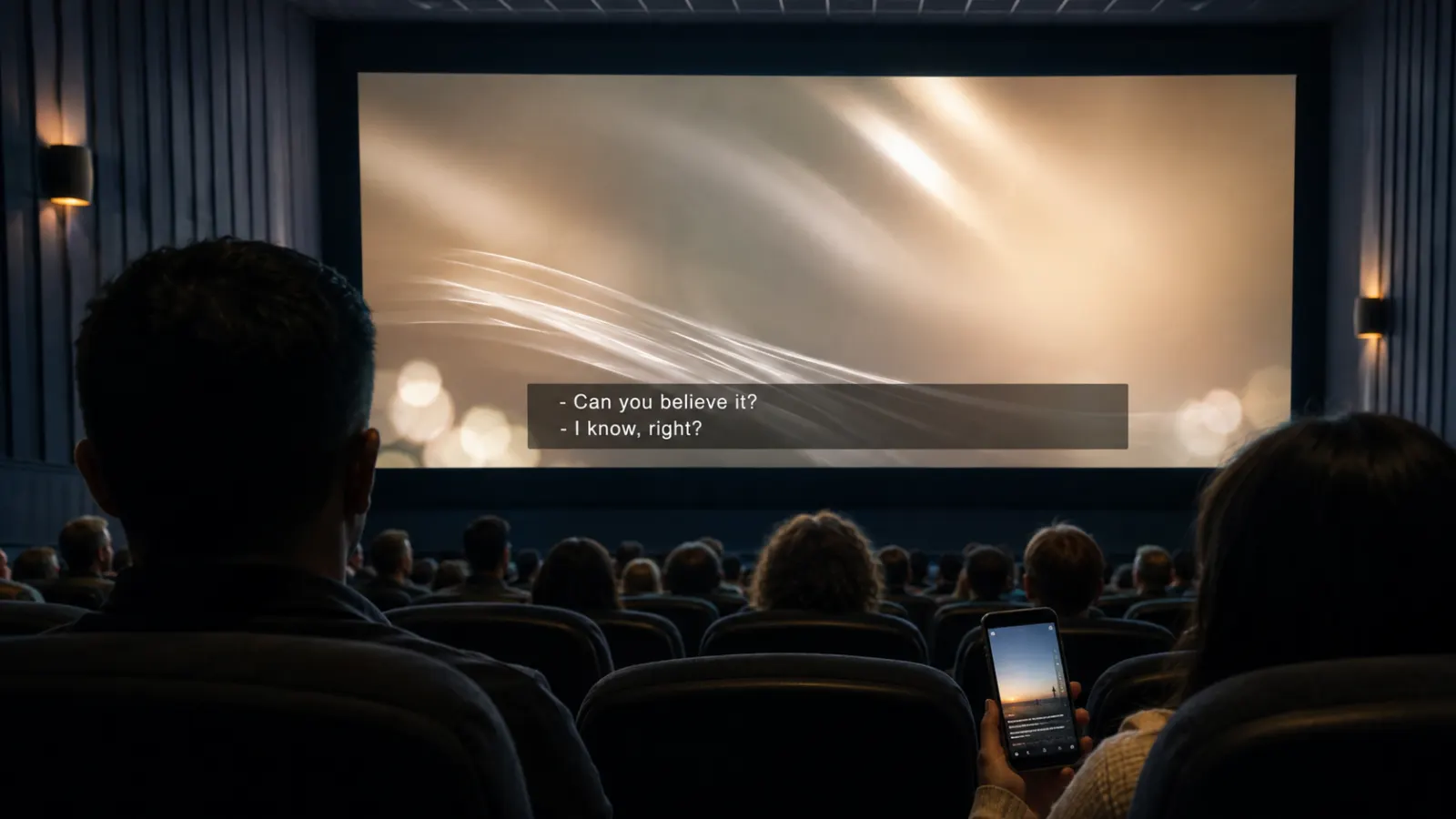
Open caption meaning is simple: open captions are written versions of dialogue and important sounds that remain visible on the screen. Viewers do not need to activate them, and they cannot turn them off.
You may see open captions in movie theaters, social media videos, public displays, presentations, online courses, and videos played without sound. They help deaf and hard-of-hearing viewers access audio information, but they can also support people watching in noisy places, quiet environments, or unfamiliar languages.
Quick Answer: What Does Open Caption Mean?
An open caption is text that appears permanently on a video or screen. It usually displays spoken dialogue and meaningful audio information, such as music, laughter, speaker identification, or important background sounds.
The defining feature is viewer control:
- Open captions remain visible to everyone.
- Closed captions can usually be switched on or off.
- Subtitles often focus on dialogue or translation.
- Transcripts provide the audio content separately from the video.
The World Wide Web Consortium defines open captions as captions that cannot be turned off. Its guidance also explains that captions should communicate dialogue and important non-speech audio information needed to understand the content.
What Are Open Captions?
Open captions are captions that form part of the displayed video. They are always present while the captioned version plays.
Video editors often create open captions by rendering the text into the visual image. This process is commonly called burning in or hard-coding captions. Once exported, the words become part of the video frames rather than a separate caption track.
A viewer therefore does not need:
- A caption button
- A compatible media player
- A remote control setting
- A separate caption file
- Special theater equipment
- Knowledge of an accessibility menu
The captions appear automatically wherever that version of the video plays.
The W3C describes this method as embedding the dialogue and important sounds as text in the video track. Because the captions stay visible, the player does not need special caption support.
What Information Do Open Captions Show?
Well-made open captions communicate more than spoken words. They give viewers enough audio information to understand what is happening.
Open captions may include:
- Dialogue
- Narration
- Speaker identification
- Important sound effects
- Meaningful music
- Song lyrics when relevant
- Laughter or audience reactions
- Changes in tone or delivery
- Off-screen voices
- Announcements
- Relevant background sounds
The Described and Captioned Media Program explains that captions provide the textual equivalent of dialogue and narration while also including speaker identification, sound effects, and music descriptions.
Simple Open Caption Examples
A captioned scene might communicate audio in the following ways:
- Maya: I thought you had already left.
- Soft piano music begins.
- The audience laughs.
- A phone rings in the next room.
- Daniel speaks from outside the door.
- Thunder rumbles in the distance.
- The announcer calls the final score.
- Footsteps approach from behind.
- The music becomes tense.
- Everyone cheers as the lights come on.
These examples describe sounds naturally without relying on bracketed sound cues.
Open Captions vs Closed Captions
Open and closed captions can contain similar information. The main difference is whether viewers can control their visibility.
| Feature | Open captions | Closed captions |
|---|---|---|
| Always visible | Yes | No |
| Viewer can turn them off | No | Usually |
| Part of the video image | Commonly | Usually separate |
| Requires player support | No | Yes |
| Appearance controlled by creator | Usually | Partly depends on player |
| Easy to edit after publishing | No | Usually easier |
| Suitable for public screens | Yes | Only if activated |
| Supports viewer preferences | Limited | Yes |
The University of Washington summarizes the distinction directly: open captions always remain visible, while viewers can turn closed captions on or off.
Why Are They Called Open Captions?
The word open means the captions are open for everyone to see. They do not remain hidden inside an encoded signal or separate track.
Closed captions are closed until someone activates them through a player, television, app, or remote-control menu. The Federal Communications Commission explains that open captions appear directly on the television screen, while closed captions remain encoded within the television signal until displayed.
Open Captions vs Subtitles
People often use captions and subtitles interchangeably, but they can serve different purposes.
Captions usually assume that a viewer may not hear the audio. They therefore communicate both speech and meaningful non-speech sounds.
Subtitles traditionally assume that viewers can hear the audio but need help understanding the dialogue. This often happens when the dialogue uses another language. Subtitles may translate the speech without describing sounds, music, or speaker changes.
| Content type | Main purpose | Includes dialogue | Includes important sounds | Can be optional |
|---|---|---|---|---|
| Open captions | Make audio information visibly available | Yes | Usually | No |
| Closed captions | Give viewers selectable access to audio | Yes | Usually | Yes |
| Subtitles | Translate or clarify dialogue | Yes | Not always | Yes or no |
| Transcript | Provide a separate written record | Yes | Sometimes | Not displayed with each scene |
The W3C notes that captions differ from dialogue-only subtitles because captions include non-dialogue information needed to understand the program, including music, laughter, sounds, and speaker identification. It also notes that terminology varies between countries.
Can Subtitles Also Be Open?
Yes. A translated subtitle can be permanently rendered into a video. In that case, the subtitle is open because the viewer cannot hide it.
Open and closed describe how text appears, not necessarily what language it uses. Caption and subtitle describe the text’s intended function more closely.
For example:
- English dialogue plus sound descriptions, always visible: open captions
- Spanish translation, always visible: open subtitles
- English dialogue plus sound descriptions, selectable: closed captions
- French translation, selectable: optional subtitles
What Does Open Caption Mean at a Movie Theater?
An open-caption movie screening displays captions directly on the main cinema screen. Everyone in the auditorium sees the same captioned presentation.
The captions usually appear near the bottom of the picture, although their position may change to avoid hiding important visual information. Viewers do not need a personal display, captioning device, or special glasses.
At a theater, an open-caption listing generally means:
- Captions will remain visible throughout the film.
- Everyone attending that showtime will see them.
- No additional caption device is required.
- The screening may be offered only at selected times.
- The text may include dialogue, speaker information, music, and relevant sounds.
An open-caption showtime is especially useful for deaf and hard-of-hearing moviegoers because it places the text on the shared screen. It can also help people who struggle with accents, process spoken language differently, or want clearer dialogue.
Open Caption vs Closed Caption at the Movies
Closed-caption cinema systems normally provide captions through individual equipment rather than displaying them on the main screen. Depending on the theater, this may involve a small personal display positioned near the viewer.
Open-caption screenings remove the need to collect, position, or troubleshoot a personal device. The trade-off is that every person in the auditorium sees the captions.
What Does Open Caption Mean on Social Media?
On social media, open captions are words permanently displayed within a video. Creators often add them during editing or use an app’s automatic captioning tool before exporting the finished clip.
They commonly appear on:
- Instagram Reels
- TikTok videos
- YouTube Shorts
- Facebook videos
- LinkedIn clips
- Promotional videos
- Stories
- Video advertisements
- Tutorials
- Interview highlights
Open captions suit short-form social content because the text remains visible even when a platform starts a video without sound or fails to carry a separate caption track.
However, creators should not assume that every caption generated inside an app becomes permanently embedded. Some platforms create optional captions that viewers can hide. The result depends on how the platform saves and displays the text.
How to Tell Whether Social Video Captions Are Open
Use this simple test:
- Look for a CC button or caption setting.
- Try switching the captions off.
- Play the video in another compatible app.
- Download the video, if permitted, and inspect the exported copy.
- Check whether the words remain part of the picture.
If the text always remains visible and cannot be disabled, it is open captioning.
Where Are Open Captions Commonly Used?
Open captions work well where permanent visibility offers more value than individual viewer control.
Movie Screenings
Open-caption showtimes allow everyone in the auditorium to read the dialogue and sound information on the main screen.
Social Media Videos
Creators use permanent on-screen captions to make short videos understandable without requiring viewers to locate a caption setting.
Public Displays
Videos played at airports, stores, exhibitions, waiting rooms, trade shows, and reception areas may have little or no audible sound. Open captions deliver the message visually.
Classrooms and Training Rooms
Open-caption videos give the entire group access to the same text without asking an instructor to configure each device.
Conferences and Presentations
Live or prepared captions may appear on a shared screen so attendees can follow the speaker. Whether live text technically functions as open captioning depends on whether viewers have any way to hide it.
Workplace Communications
Captioned announcements, onboarding videos, safety instructions, and internal updates can remain understandable in quiet offices and noisy work areas.
Digital Advertising
Open captions help advertisements communicate spoken messages when sound is muted or unavailable.
Benefits of Open Captions
Open captions provide several practical and accessibility benefits.
They Appear Automatically
Viewers do not have to search for a CC icon, adjust settings, or understand how a particular player works.
They Do Not Depend on Caption Support
Because the words form part of the video picture, open captions can appear in players that do not support separate caption files.
They Support Deaf and Hard-of-Hearing Viewers
Captions provide visual access to spoken dialogue and other important audio information. The FCC describes captioning as a critical link to television news, entertainment, and information for people who are deaf or hard of hearing.
They Help in Sound-Sensitive Environments
Open captions make content usable where people cannot play audio, including libraries, offices, public transport, waiting areas, and shared rooms.
They Help in Noisy Locations
Viewers can follow a video in gyms, airports, restaurants, exhibitions, factories, or crowded public spaces.
They Give Creators Visual Control
A video editor can choose the font, size, position, color, background, and timing. That control can produce a consistent appearance across supported devices.
Everyone Receives the Same Version
Open captions create a shared viewing experience because no one needs to request a special setting or separate device.
Limitations of Open Captions
Open captions also have disadvantages. They are not the best choice for every video.
Viewers Cannot Hide Them
Some viewers may prefer an unobstructed image. Open captions do not provide that option.
Correcting Errors Requires More Work
If captions have been rendered into the image, the editor generally needs to correct the source project and export the video again.
Text Can Cover Visual Details
Poor placement may obscure names, graphics, demonstrations, faces, or other relevant information. W3C guidance states that captions should not block important visual content.
Styling Cannot Adapt to Viewer Preferences
Closed-caption systems may let viewers adjust text size, color, font, or background. Open captions preserve the creator’s styling, so the viewer cannot customize it.
One Video May Not Suit Every Language
A permanently captioned English version cannot switch instantly to Spanish, French, or another language. Publishers may need separate exports.
Compression Can Reduce Readability
Small text may become difficult to read when a platform compresses a video or displays it on a small mobile screen.
Caption Text May Not Be Machine Readable
Text rendered as pixels does not function like a separate text track. The University of South Carolina notes that embedded open-caption text cannot be searched as caption content.
When Should You Use Open Captions?
Choose open captions when reliable and immediate visibility matters more than viewer control.
They are a strong choice when:
- The platform does not support closed captions.
- The video will play without sound.
- The audience should not need to change settings.
- The content will appear on a public display.
- The same captioned experience should reach everyone.
- You need precise control over caption placement.
- The video will be embedded across different players.
- A short social video depends heavily on spoken information.
Closed captions may work better when:
- The platform supports a reliable caption track.
- Viewers should control caption visibility.
- You need multiple languages.
- Users may need custom text sizes or colors.
- Caption text must remain searchable.
- You expect frequent corrections.
- The video contains detailed visuals that captions could cover.
Can You Provide Both?
Yes. In many publishing workflows, creators keep a clean master video and create separate versions:
- One version with open captions
- One version with a closed-caption track
- Additional versions for other languages
- A written transcript for reference
This approach provides flexibility, but it also requires careful version control.
How to Create Effective Open Captions
Adding words to a video is only the first step. Good captioning must remain accurate, readable, synchronized, and complete.
Capture the Full Meaning
Include dialogue and audio information that affects understanding. Do not add every minor sound if it contributes nothing to the scene.
Keep the Timing Accurate
Display each caption as the relevant speech or sound occurs. Captions that arrive too early may reveal information. Captions that appear late force viewers to catch up.
Use Readable Text
Choose a clear font, sufficient size, and strong contrast. Test the video on the smallest screen your audience is likely to use.
Limit Each Caption to a Manageable Amount
Break long speech into natural phrases. Avoid filling the screen with dense blocks of text.
Protect Important Visual Areas
Move captions when the usual position would cover a speaker’s name, demonstration, chart, or essential action.
Identify Speakers Clearly
Use names or clear descriptions when viewers cannot tell who is speaking.
Review Automatic Captions
Automatic speech recognition may mishear names, technical terms, accents, numbers, or overlapping speakers. Human review remains necessary before publishing important content.
Keep the Words Faithful to the Audio
Do not rewrite dialogue simply to make it sound better. Edit only when readability requires careful condensation and the original meaning remains intact.
The FCC identifies accuracy, synchronicity, completeness, and placement as essential television caption quality components. These principles also offer a useful quality framework for other captioned media.
Common Open Captioning Mistakes
Avoid these problems when preparing permanent captions:
- Using text that is too small for mobile screens
- Placing captions over faces or essential graphics
- Relying on unedited automatic transcription
- Leaving out meaningful sound information
- Showing captions too early or too late
- Using weak contrast against changing backgrounds
- Displaying too many words at once
- Forgetting to identify off-screen speakers
- Exporting only one language version when the audience needs several
- Deleting the clean master video
- Using decorative fonts that reduce readability
- Adding excessive animation to caption text
- Treating captions as visual decoration instead of accessible information
- Assuming subtitles and accessibility captions always contain the same information
Final Thoughts on Open Caption Meaning
Open captions are permanent, always-visible captions that viewers cannot switch off. They can display dialogue, music, speaker identification, and important sounds without relying on a caption setting or compatible player.
They work especially well for open-caption movie screenings, social videos, public displays, presentations, and sound-off viewing. Closed captions offer more viewer control, while open captions guarantee that everyone sees the text. The right option depends on where the video will play, who will watch it, and how much flexibility the audience needs.
Frequently Asked Questions
What is the simplest open caption meaning?
Open captions are captions that stay visible on the screen and cannot be turned off by the viewer.
Are open captions always on?
Yes. If viewers can hide or deactivate the text, it is not open captioning in the usual accessibility sense.
Do open captions include sound effects?
Good accessibility captions include important sounds, music, speaker identification, and dialogue when those details help viewers understand the content.
Are open captions the same as subtitles?
Not necessarily. Captions usually communicate dialogue and relevant non-speech audio. Subtitles often focus on dialogue or translation. Either one may be open if it remains permanently visible.
What does open caption mean at AMC or another cinema?
It means captions appear on the main movie screen for everyone at that scheduled screening. Exact presentation and scheduling can vary by cinema, so check the individual showtime details before booking.
Can hearing viewers attend an open-caption movie?
Yes. An open-caption screening is a regular movie presentation with visible captions. It is not restricted to deaf or hard-of-hearing guests.
Can open captions be turned off at a theater?
No. The captions form part of that screening. Choose a different showtime if you want to watch without visible captions.
Are open captions burned into a video?
They commonly are. Rendering text directly into the video frames is a standard way to make captions permanently visible.
Are captions on TikTok and Instagram always open?
No. Text rendered into the uploaded video is open. A separate caption feature that viewers can disable functions more like closed captioning. Platform behavior can change, so test the published video directly.
Are open captions more accessible than closed captions?
Each format solves a different problem. Open captions guarantee visibility without setup. Closed captions provide viewer choice and may support customization. The better option depends on the platform, audience, and viewing environment.
Do open captions satisfy accessibility requirements?
Open captions can provide accessible text equivalents for prerecorded video when they accurately include dialogue and important sounds. However, legal and technical requirements vary by country, platform, organization, and type of media. This article does not establish compliance for a specific project.
What is another name for open captions?
People may call them burned-in captions, burnt-in captions, baked-in captions, hard-coded captions, permanent captions, or always-visible captions.
What does OC mean in a movie listing?
OC commonly means open caption or open captioned. Confirm the abbreviation in the cinema’s accessibility information because theater labels may vary.