
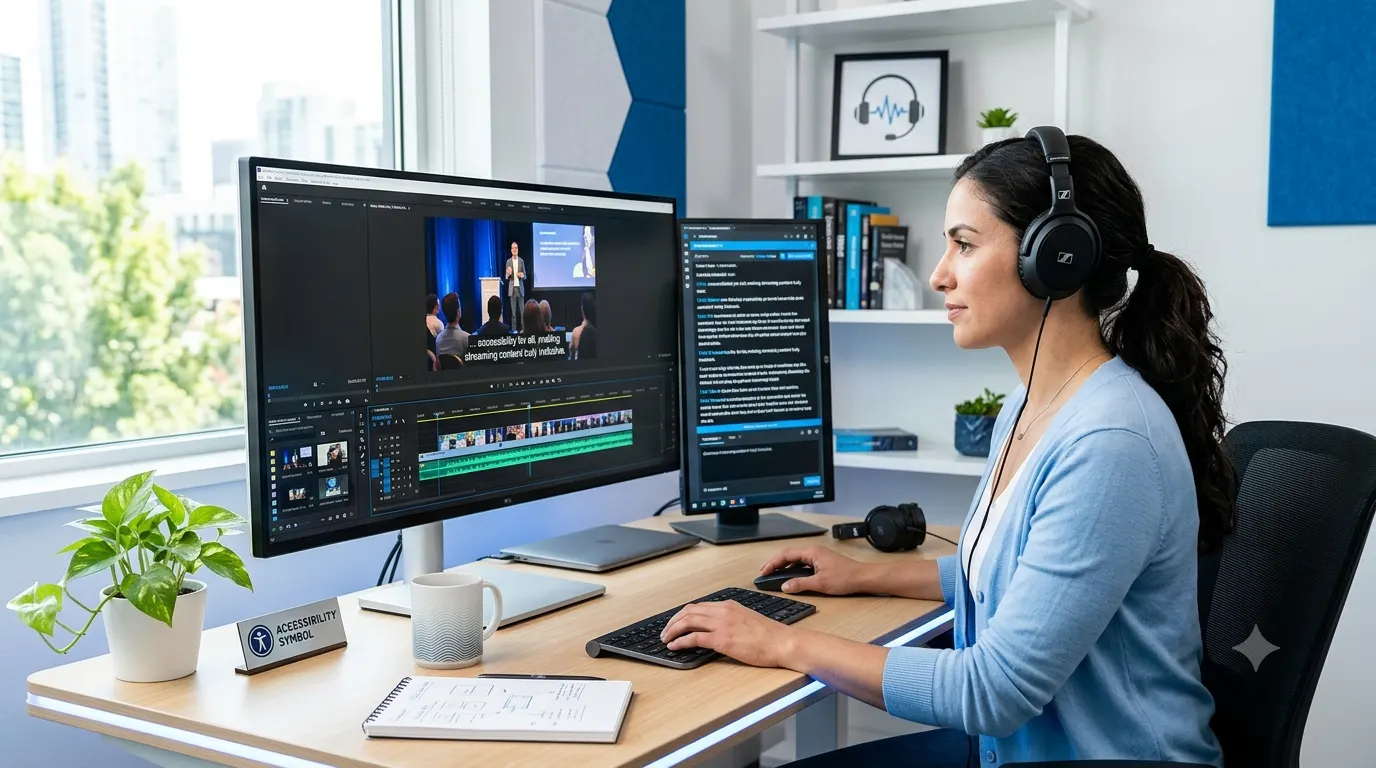
If you’ve searched for captioner meaning, you probably want to know what a captioner does, where the term is used, and how it differs from captioning or subtitles. The word appears in media, education, broadcasting, live events, and accessibility services, making it an important part of modern communication.
A captioner is a person or system that creates captions for spoken audio. These captions help viewers understand dialogue, identify speakers, and follow important sounds. Captioners play a key role in making videos, television programs, online content, and live events accessible to people who are deaf or hard of hearing. They also improve the viewing experience for anyone watching without sound.
Whether you’re exploring the profession, learning about accessibility, or simply curious about the definition, this guide explains everything you need to know in clear, practical language.
Quick Answer
A captioner is someone who creates captions for video or audio content. Their work converts spoken words and important sounds into readable text that appears on a screen. Captioners may work on live broadcasts, recorded videos, online courses, meetings, conferences, television shows, movies, or social media content.
In some cases, the term also refers to software or AI tools that automatically generate captions. However, professional human captioners remain essential for delivering high accuracy, proper punctuation, speaker identification, and context.
What Does Captioner Mean?
The word captioner comes from the noun caption, which refers to the text displayed alongside visual or audio content. By adding the suffix er, the word describes the person or tool responsible for creating those captions.
In simple terms, a captioner listens to spoken language and turns it into text that appears on a screen. Depending on the project, they may also include:
- Speaker names
- Important sound effects
- Music descriptions
- Background noises
- Emotional cues when relevant
For example, if someone laughs during a conversation, a captioner may include a brief description so viewers understand the full context of the scene.
Why Captioners Matter
Captioners do much more than type words. Their work helps millions of people access information every day.
Captioning supports communication in situations where audio alone is not enough. This includes educational videos, workplace meetings, public announcements, entertainment, and live events.
A skilled captioner helps viewers by:
- Making content accessible to deaf and hard of hearing audiences
- Improving comprehension for non native English speakers
- Helping viewers watch videos without turning on sound
- Supporting learning through readable text
- Increasing engagement on social media platforms
- Improving search engine visibility for online videos
Because of these benefits, captioning has become a standard feature across many digital platforms.
Where the Word Captioner Is Commonly Used
Although many people associate captioners with television, the role extends across numerous industries.
Television Broadcasting
Live news, sports events, weather updates, and entertainment programs often rely on professional captioners who produce captions in real time.
These professionals work quickly while maintaining excellent accuracy, allowing viewers to follow broadcasts as they happen.
Online Video Platforms
Creators on platforms like YouTube, streaming services, and educational websites frequently use captioners to make videos easier to understand and more accessible.
High quality captions can also improve audience retention because viewers often watch videos with the sound turned off.
Schools and Universities
Educational institutions use captioners to support students during lectures, online classes, webinars, and recorded lessons.
Accurate captions help students review complex information and create a more inclusive learning environment.
Business Meetings
Many organizations use captioning during virtual meetings, conferences, training sessions, and company presentations.
Live captions help participants follow discussions, especially in noisy environments or when audio quality is poor.
Conferences and Public Events
Large conferences often include live captioning displayed on screens so every attendee can follow presentations regardless of hearing ability.
This service has become increasingly common at government meetings, academic events, and international conferences.
Captioner vs Caption vs Captioning
These terms sound similar, but they have different meanings.
Caption
A caption is the text displayed on a screen that represents spoken dialogue and important sounds.
Captioner
A captioner is the person or technology that creates those captions.
Captioning
Captioning is the entire process of producing, editing, timing, and displaying captions for viewers.
Understanding the distinction makes it easier to use these terms correctly in professional conversations.
Is a Captioner Always a Person?
Not anymore.
Today, the word captioner may refer to either a human professional or an automated system that generates captions using speech recognition technology.
Human captioners remain the preferred choice when accuracy, context, and quality are essential. They understand accents, industry terminology, multiple speakers, and emotional context that automated systems may misunderstand.
AI captioning tools, on the other hand, offer speed and convenience. They can generate captions within minutes, making them popular for everyday content creation.
Many organizations now combine both approaches by generating automatic captions first and then having a professional captioner review and edit them for accuracy.
Human Captioners vs AI Captioners
Both options have advantages depending on the project.
Human Captioners
Human captioners excel at understanding context, grammar, punctuation, and speaker changes. They can accurately capture jokes, emotions, technical language, and difficult accents.
They are commonly used for:
- Television broadcasts
- Legal proceedings
- Medical presentations
- University lectures
- Corporate events
- High quality video production
AI Captioners
AI captioning software processes speech rapidly and can produce captions almost instantly.
It works well for:
- Draft captions
- Personal videos
- Social media clips
- Internal business recordings
- Fast turnaround projects
Even with recent improvements, AI generated captions often require human editing before publication.
Common Examples of a Captioner’s Work
You interact with captioners more often than you may realize.
Examples include:
- Live captions during a breaking news broadcast
- Captions on a streaming movie
- Text displayed during an online university lecture
- Captions for a company webinar
- Accessibility text during a government announcement
- Subtitled educational videos
- Closed captions on social media videos
- Live captions during sporting events
- Conference presentations displayed on large screens
- Real time captions during virtual meetings
In each of these situations, a captioner helps transform spoken communication into accurate, readable text that reaches a wider audience.
Different Types of Captioners
Not all captioners perform the same kind of work. The responsibilities vary depending on whether the content is live, recorded, educational, or technical.
Live Captioners
Live captioners create captions as people speak. They often work during television broadcasts, sports events, conferences, webinars, and government meetings. Because there is little room for error, they must type quickly and understand speech in real time.
Offline Captioners
Offline captioners work with prerecorded content. They have time to review audio, correct mistakes, add punctuation, identify speakers, and synchronize captions with the video.
This role is common in the film, television, eLearning, and digital marketing industries.
CART Captioners
Communication Access Realtime Translation, commonly called CART, focuses on providing live captions for individuals who are deaf or hard of hearing. CART captioners often work in classrooms, courtrooms, business meetings, conferences, and public events.
Their captions appear almost instantly, allowing participants to follow conversations as they happen.
Broadcast Captioners
Broadcast captioners specialize in live television programming. They often work with news channels, sports networks, weather stations, and entertainment broadcasts where speed and accuracy are equally important.
What Does a Captioner Actually Do?
A professional captioner performs much more than simple typing. Every project requires careful listening, language skills, and attention to detail.
Daily responsibilities may include:
- Listening carefully to spoken dialogue
- Converting speech into accurate text
- Editing grammar and punctuation
- Identifying different speakers
- Including meaningful sound descriptions
- Synchronizing captions with video timing
- Reviewing captions for errors
- Delivering accessible content for viewers
Depending on the project, a captioner may also research names, technical terms, or industry vocabulary before beginning work.
Skills Every Good Captioner Needs
Successful captioners combine language expertise with technical knowledge. Accuracy matters because even small mistakes can change the meaning of a conversation.
Important skills include:
- Excellent listening ability
- Fast and accurate typing
- Strong grammar and spelling
- Good punctuation skills
- High attention to detail
- Time management
- Ability to work under deadlines
- Familiarity with captioning software
- Knowledge of accessibility standards
- Strong concentration during long sessions
These skills allow captioners to produce readable captions that viewers can trust.
Tools Used by Professional Captioners
Modern captioners rely on specialized software and equipment to improve speed and accuracy.
Common tools include:
- Caption editing software
- Speech recognition programs
- Audio enhancement tools
- Video editing software
- High quality headphones
- Professional keyboards
- Stenography machines for live broadcasts
- Cloud based collaboration platforms
Technology continues to improve, but experienced captioners still play a vital role in quality control.
Industries That Hire Captioners
Captioning services are needed across many industries because accessibility has become an important standard worldwide.
Some of the biggest employers include:
Television and Media
News organizations, sports broadcasters, streaming platforms, and production companies regularly hire captioners for live and recorded programming.
Education
Schools, colleges, universities, and online learning platforms use captions to make educational materials accessible for all students.
Corporate Business
Businesses increasingly add captions to meetings, webinars, employee training, product demonstrations, and promotional videos.
Government Agencies
Many government organizations provide captions for public announcements, council meetings, educational programs, and emergency communications.
Healthcare
Hospitals and medical institutions use captioning during conferences, training sessions, patient education videos, and virtual consultations.
Legal Services
Courts, legal conferences, and law firms sometimes require accurate real time captions to improve accessibility during proceedings and presentations.
Why Accurate Captioning Matters
Captions influence much more than accessibility. High quality captions improve communication for many different audiences.
Accurate captioning helps by:
- Reducing misunderstandings
- Improving learning and information retention
- Supporting multilingual audiences
- Helping viewers in noisy environments
- Making silent video viewing possible
- Increasing audience engagement
- Improving online video discoverability
- Meeting accessibility requirements
Poor captions can confuse viewers, change meanings, or leave out important information. That is why many organizations invest in professional captioning services.
Captioner vs Subtitle Creator
People often confuse captions and subtitles, but they serve different purposes.
Captions include spoken dialogue along with important sounds such as laughter, music, alarms, or background noises. They are primarily created for accessibility.
Subtitles usually translate spoken dialogue into another language. They generally focus only on speech and may not include environmental sounds.
Because of this difference, a subtitle creator and a captioner may perform similar tasks while working toward different goals.
Can AI Replace Human Captioners?
Artificial intelligence has dramatically improved automatic caption generation, but it has not completely replaced professional captioners.
AI performs well when audio is clear and speakers use simple language. However, automated systems can struggle with:
- Strong regional accents
- Multiple people talking at once
- Technical terminology
- Background noise
- Proper names
- Humor and sarcasm
- Cultural references
- Fast conversations
Human captioners understand context and can correct these issues before captions reach viewers.
Many organizations now use a hybrid workflow where AI creates the first draft and a professional captioner edits it for quality.
How to Become a Captioner
Captioning can be a rewarding career for people with strong language skills and attention to detail.
Typical steps include:
- Improve typing speed and accuracy.
- Build excellent grammar and punctuation skills.
- Learn accessibility guidelines.
- Practice captioning recorded videos.
- Become familiar with professional captioning software.
- Create a portfolio of sample work.
- Apply for freelance or full time captioning positions.
- Continue improving through regular practice and training.
Some live captioners also receive specialized training in stenography or real time transcription.
Common Mistakes People Make About Captioners
Many people misunderstand what captioners actually do.
Some common misconceptions include:
- Thinking captioners simply copy spoken words without editing.
- Believing captions and subtitles are exactly the same.
- Assuming AI captions are always accurate.
- Expecting live captions to be perfect despite challenging audio conditions.
- Overlooking the importance of punctuation and timing.
- Forgetting that captions also describe meaningful sounds, not just dialogue.
Understanding these differences helps people appreciate the skill involved in professional captioning.
Related Terms You Should Know
If you’re learning about captioners, you’ll often encounter these related terms:
- Closed captions
- Open captions
- Live captioning
- Offline captioning
- Speech to text
- Accessibility
- Transcription
- Subtitle
- CART services
- Real time transcription
- Video accessibility
- Media localization
Learning these terms provides a broader understanding of how captioning fits into modern communication and digital accessibility.
Choosing the Right Captioning Solution
The best captioning solution depends on your goals.
If speed is your priority, AI captioning tools can generate captions quickly and at a lower cost. They work well for internal meetings, social media clips, and draft versions of videos.
If accuracy matters most, especially for educational content, legal proceedings, medical presentations, or broadcast television, professional human captioners remain the best choice. Their ability to understand context, identify speakers, and correct errors produces captions that are clear, reliable, and accessible.
Many organizations achieve the best results by combining both approaches. AI creates the initial captions, and a human captioner reviews and refines them before publication.
Final Thoughts
Understanding the captioner meaning is more than learning a simple definition. Captioners help make information accessible, improve communication, and ensure that videos, broadcasts, meetings, and educational content reach the widest possible audience.
As digital media continues to grow, captioners remain an essential part of creating inclusive experiences. Whether the work is performed by a trained professional, an AI tool, or a combination of both, high-quality captioning helps people connect with content more effectively and ensures that no important message is missed.
Frequently Asked Questions About Captioner Meaning
What is the simple meaning of a captioner?
A captioner is a person or software that converts spoken words and important sounds into on-screen text. Captions help viewers understand audio content and improve accessibility for people who are deaf or hard of hearing.
Is a captioner the same as a transcriptionist?
No. A transcriptionist creates written documents from audio or video recordings, while a captioner creates synchronized text that appears on a screen during or alongside a video. Captioners also consider timing, speaker changes, and important sound effects.
What is the difference between captions and subtitles?
Captions include spoken dialogue and meaningful sounds such as laughter, music, or alarms. Subtitles usually translate spoken dialogue into another language and often do not describe background sounds.
Can AI be used as a captioner?
Yes. Many AI tools can automatically generate captions using speech recognition technology. However, professional human captioners are still preferred for projects that require high accuracy, proper grammar, and contextual understanding.
Where do captioners work?
Captioners work in television, streaming services, schools, universities, corporate businesses, healthcare, government agencies, legal services, conferences, and online content creation.
What skills does a professional captioner need?
Professional captioners need excellent listening skills, fast and accurate typing, strong grammar, attention to detail, time management, and familiarity with captioning software and accessibility standards.
Why are captions important?
Captions make content accessible to people who are deaf or hard of hearing, help viewers understand videos in noisy or quiet environments, improve learning, and increase engagement with digital content.
Is captioning a good career?
Yes. Captioning can be a rewarding career for people who enjoy language, communication, and technology. Demand continues to grow as more organizations prioritize digital accessibility and inclusive content.